
Bring your RV's lights, climate, tanks, power systems, and more into Home Assistant, without replacing the factory controls you already rely on.
Website · How it works · Build guide · Community and support · Contributing
LibreCoach connects an RV-C network to Home Assistant using standard hardware and open-source software. It automatically discovers compatible devices, runs locally without a required cloud service, and gives you a system you can customize and maintain yourself.
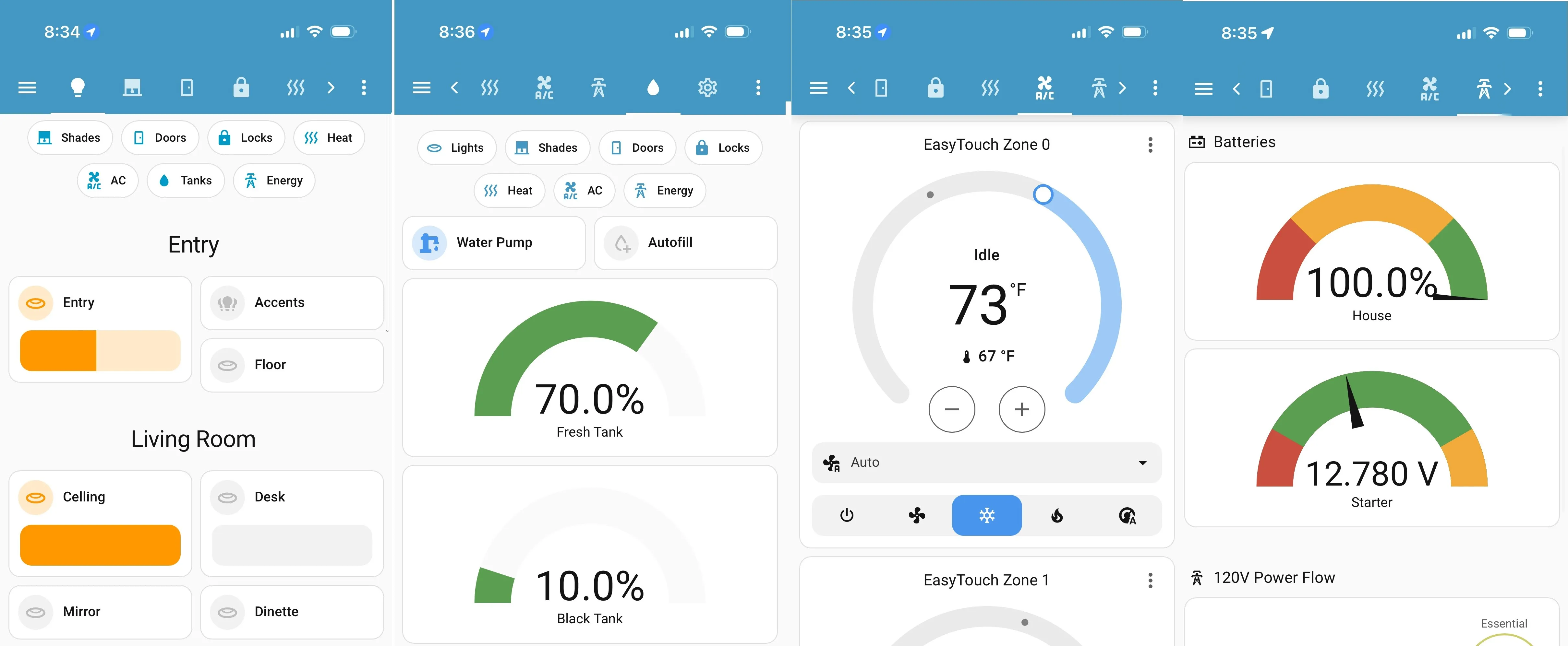
- Control and monitor lights, shades, locks, pumps, tanks, climate, batteries, and other supported systems from a phone, tablet, or browser.
- Compatible RV-C devices show up in Home Assistant on their own, without hand-written entity templates.
- Everything runs locally. You build dashboards, alerts, and automations in Home Assistant instead of living with a vendor's touchscreen.
- Your factory switches and panels stay in place. LibreCoach adds monitoring and convenience control; it doesn't replace existing or safety-critical controls.
LibreCoach is intended for RVs with an RV-C based CAN network. Fully analog RVs and RVs using an unsupported proprietary network are not compatible. See What is LibreCoach? for the full compatibility and system overview.
Add the stable LibreCoach repository to Home Assistant:

Then find LibreCoach under Settings → Apps → Install Apps. On first start, LibreCoach installs and configures Mosquitto, Node-RED, and the LibreCoach automation flows.
Building a complete system also requires a Home Assistant host, CAN interface, and connection to the RV-C network. Follow the step-by-step build guide for hardware, assembly, software, and connection instructions.
- Installation guide
- Configuration guides
- Frequently asked questions
- Discord, Facebook, and GitHub support
- Add-on overview and first-start notes
Bug reports, feature ideas, documentation improvements, and code contributions are welcome. Start with the contribution guide; contributions to the LibreCoach add-on require signing the CLA.
If LibreCoach has been useful to you, and you'd like to help keep it going:

