A design experiment in spatial, AI-augmented thinking.
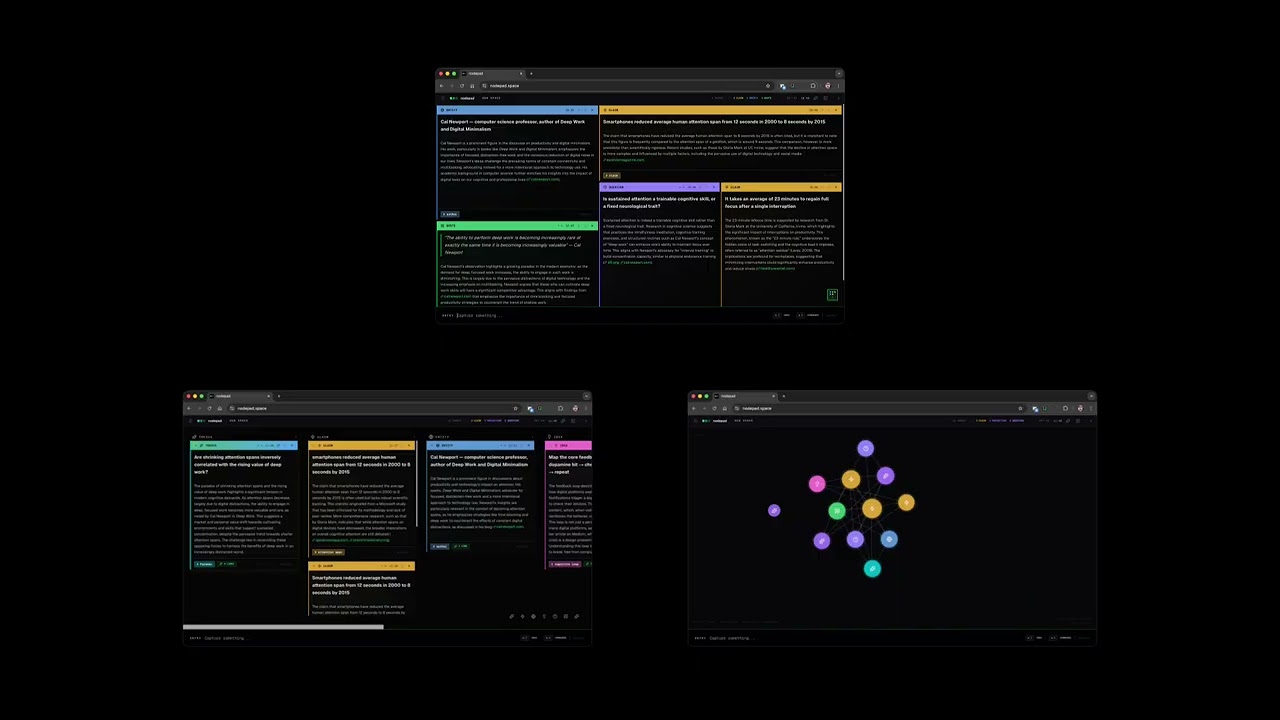
Most AI tools are built around a chat interface: you ask, it answers, you ask again. The interaction is sequential, conversational, and optimised for producing output. nodepad is built around a different premise: that thinking is spatial and associative, and that AI is most useful when it works quietly in the background rather than at the centre of attention.
You add notes. The AI classifies them, finds connections between them, surfaces what you haven't said yet, and occasionally synthesises an emergent insight from the whole canvas. You stay in control of the space. The AI earns its place by being genuinely useful rather than prominent.
Notes are typed into the input bar and placed onto a spatial canvas. Each note is automatically classified into one of 14 types — claim, question, idea, task, entity, quote, reference, definition, opinion, reflection, narrative, comparison, thesis, general — and enriched with a short annotation that adds something the note doesn't already say.
Connections between notes are inferred from content. When you hover a connection indicator, unrelated notes dim. When enough notes accumulate, a synthesis emerges — a single sentence that bridges the tensions across the canvas. You can solidify it into a thesis note or dismiss it.
Three views: tiling (spatial BSP grid), kanban (grouped by type), graph (force-directed, centrality-radial).
Requirements: a desktop browser and an OpenRouter API key.
git clone https://github.com/mskayyali/nodepad.git
cd nodepad
npm install
npm run dev
Open localhost:3000.
Add your API key: click the menu icon (top-left) → Settings → paste your OpenRouter key. The key is stored in your browser's localStorage and goes directly to OpenRouter — it never passes through any server.
Enable web grounding (optional): toggle "Web grounding" in Settings to let the AI cite real sources for claims, questions, and references. Works with models that support the :online suffix.
Select from the sidebar Settings panel. Default is GPT-4o.
| Model | Notes |
|---|---|
openai/gpt-4o |
Default. Strong annotation quality. |
anthropic/claude-sonnet-4-5 |
Strong reasoning, good for complex research. |
google/gemini-2.5-pro |
Supports web grounding. |
deepseek/deepseek-chat |
Fast, cost-effective. |
mistralai/mistral-small-3.2 |
Lightweight, supports grounding. |
Enter |
Add note |
⌘K |
Command palette (views, navigation, export) |
⌘Z |
Undo |
Escape |
Deselect / close panels |
Double-click any note to edit. Click the type label to reclassify manually.
Everything lives in your browser. No account, no server, no database.
- Notes are persisted to
localStorageundernodepad-projects - A silent rolling backup is written on every change to
nodepad-backup - Export to
.mdor.nodepad(versioned JSON) via⌘K - Import
.nodepadfiles via the sidebar
Next.js · React 19 · TypeScript · Tailwind CSS v4 · D3.js · Framer Motion · OpenRouter API
A design experiment by Saleh Kayyali.