
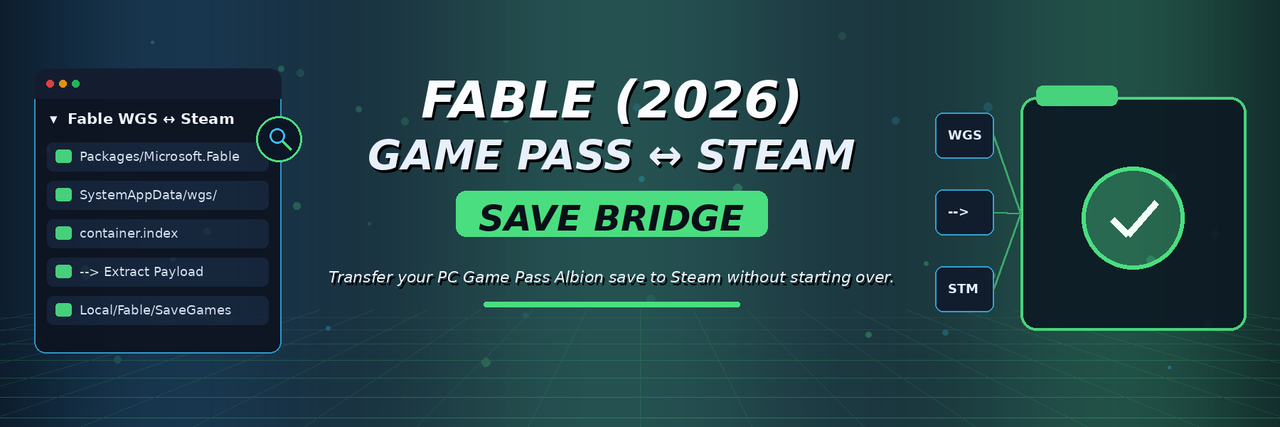



Started playing Fable on PC Game Pass and bought the Steam version? Copying files manually from AppData\Local\Packages fails because Xbox App wraps saves inside hashed WGS containers. Extract and bridge your Fable save to Steam cleanly.
Fable Game Pass to Steam Save Bridge focuses on migrating your Albion progression between PC storefronts on Windows: reading the container.index manifest inside %LOCALAPPDATA%\Packages\Microsoft.Fable_*\SystemAppData\wgs\, extracting the inner save payload, and mapping it to %LOCALAPPDATA%\Fable\SaveGames.
This project is aimed at Fable (2026) players on Windows 10/11 moving saves between the Xbox App (PC Game Pass) and Steam—not editing gold, morality, or unlocking achievements.
| Symptom / Error | Likely Cause | Recommended Check |
|---|---|---|
| Steam Fable does not detect my PC Game Pass save | Xbox App stores saves in hashed SystemAppData\wgs containers instead of .sav files |
Parse container.index and extract the raw save payload for Steam |
Manually copying wgs hex files crashes or gets ignored |
Random 32-character GUID filenames inside wgs\ lack Steam slot filenames |
Map extracted container blobs to Steam's expected SaveGames filenames |
Multiple numeric folders inside SystemAppData\wgs |
Each Xbox Live XUID profile creates its own hex subdirectory | Identify the active XUID folder by container.index timestamp |
| Steam Cloud overwrites newly converted save on launch | Steam Cloud syncs an empty initial profile over manually placed saves | Disable Steam Cloud briefly for the first boot, save in-game, then re-enable |
Download FableSaveBridge.zip — Latest GitHub Release (Windows x64)
View All Releases & Changelog · Report an Issue
- Automatically locates
%LOCALAPPDATA%\Packages\Microsoft.Fable_*\SystemAppData\wgson your PC. - Reads
container.indexto match hashed GUID blobs back to their real internal save filenames. - Creates a full dated backup of both your Xbox
wgsfolder and SteamSaveGamesbefore converting. - Outputs clean Steam-compatible save files ready for
%LOCALAPPDATA%\Fable\SaveGames.
[FableSaveBridge] Scanning Xbox Game Pass WGS & Steam SaveGames paths...
[OK]   Game Pass Package: C:\Users\Player\AppData\Local\Packages\Microsoft.Fable_8wekyb3d8bbwe
[OK]   WGS Container    : SystemAppData\wgs\000901F8A2B1_0000000000000000000000007A12 (3 slots)
[OK]   Backup Created   : Documents\Fable-SaveBridge-Backup\2026-11-20\
[OK]   Steam Target     : C:\Users\Player\AppData\Local\Fable\SaveGames (Ready)
The release ZIP is named FableSaveBridge.zip; the Windows executable inside is named FableSaveBridge.exe.
- Close Fable before moving or checking files.
- Click Download FableSaveBridge.zip above.
- Right-click the downloaded archive and choose Extract All.
- Open the extracted folder and run
FableSaveBridge.exe. - Review the reported locations and status checks before making any changes to your files.
- Restart Fable and verify behavior after applying any recommended fixes.
Requirements: Windows 10 or 11 (64-bit) with PC Game Pass and/or Steam versions of Fable installed.
- Read-only & standard user permissions:
FableSaveBridge.exeruns without administrator rights and does not modify game binaries, system registry keys, or Windows Defender settings. - Windows SmartScreen: Because this is an independent open-source utility without a commercial EV code-signing certificate, Windows SmartScreen may show "Windows protected your PC" on first launch. Click More info → Run anyway after verifying the release checksum on the Releases page.
Microsoft Store and PC Game Pass games wrap every save file inside binary container.* indexes with 32-character hex filenames that Steam cannot read directly.
Windows hides Packages subfolders behind randomized publisher hashes (_8wekyb3d8bbwe).
If Steam Cloud already initialized a blank save slot, launching without saving in-game first can revert the folder.
A safe converter reads wgs in read-only mode and writes converted files into a separate output/Steam directory.
Fable stores Xbox Game Pass and Steam saves in two separate %LOCALAPPDATA% trees:
%LOCALAPPDATA%\Packages\Microsoft.Fable_8wekyb3d8bbwe\SystemAppData\wgs\
Inside that structure, key files and subdirectories typically look like this:
Xbox Game Pass (Source):
%LOCALAPPDATA%\Packages\Microsoft.Fable_*\SystemAppData\wgs\<XUID>\
├── container.index
└── <ContainerGUID>\<BlobGUID>

Steam Edition (Target):
%LOCALAPPDATA%\Fable\SaveGames\
Always launch the Steam version of Fable once to create the initial SaveGames folder structure before transferring converted saves.
If your issue still persists, work through these checks in order:
- Close both the Xbox App and Steam versions of Fable. Ensure cloud sync finishes on both platforms before reading
wgs. - Launch Steam Fable once to the main menu, then exit. Initializes
%LOCALAPPDATA%\Fable\SaveGames. - Back up both
wgsand SteamSaveGamesfolders. Keep dated copies in Documents before transferring files. - Extract the WGS container payload into Steam
SaveGames. Verify extracted file sizes match the source container blobs. - Launch Steam Fable, load your character, and create a new manual save. Updates Steam Cloud with your migrated Albion progress.
Never delete or rename files inside SystemAppData\wgs\; always read from wgs and write converted copies to Steam.
A clear conversion report displays detected Microsoft.Fable_* package path, container.index entries, backup location, and target Steam SaveGames status.
Can I transfer my Fable save from Xbox Game Pass PC to Steam?
Yes—extracting the inner save payload from SystemAppData\wgs allows Steam Fable to load your PC Game Pass progress.
Will my achievements automatically pop on Steam?
Story and progression flags inside the save file transfer, though Steam achievement triggers depend on the game's internal checks.
Does this modify my Xbox Game Pass cloud save?
No. The wgs directory is read-only during extraction, leaving your Game Pass save intact.
Can I also use this to back up my Steam Fable saves?
Yes—it automatically creates dated backups of both folders.
- GearsEDay-WGSSaveConverter — Gears of War: E-Day Game Pass ↔ Steam save converter
- Stalker2-WGSSaveMigrator — S.T.A.L.K.E.R. 2 Game Pass (
wgs) ↔ Steam save migrator - Palworld-GamePassSteamBridge — Palworld Xbox Game Pass ↔ Steam
Level.savconverter - Fable2026-ShaderCrashGuard — Fable (2026) ForzaTech shader optimization & crash guard
Independent community project. Not affiliated with Playground Games, Xbox Game Studios, Microsoft, Valve, or Steam.