


Runnable Kling image API examples for Kuaishou Kling Image 4.0 through PoYo's async image API: text-to-image and multi-reference image editing at 2K, 4K, or native 8K, image sets of up to 10 matching images, and full webpage or ecommerce product pages as one long image.
Answer: To use the Kling Image 4.0 API, send a server-side request to POST https://api.poyo.ai/api/generate/submit with model kling-4.0-image (images and edits) or kling-4.0-long-image (long page designs) and a PoYo API key, then poll GET https://api.poyo.ai/api/generate/status/{task_id} and read the PNG URLs in data.files. The examples in this repository run with Python 3.9+, Node.js 22+, or cURL.
Last verified against the live PoYo schema and pricing on November 19, 2026.
- Model IDs:
kling-4.0-imageandkling-4.0-long-imageonPOST https://api.poyo.ai/api/generate/submit - Released: November 17, 2026 by Kling AI (Kuaishou); live on PoYo since November 19, 2026
- Output: PNG at
2K,4K, or8K(for example 2048×2048, 5440×3072 at 16:9, 8192×8192 at 1:1); long pages 1024 or 2048 pixels wide - Inputs: a prompt of up to 50,000 characters, plus up to 10 reference images and multi-angle elements (
@Image1,@Element1) - Aspect ratios: auto, 16:9, 9:16, 1:1, 4:3, 3:4, 3:2, 2:3, 21:9
- Images per request: 1–9 independent images, or a coherent image set of 2–10 with
enable_sequential - Text in images: up to 2,000 characters in seven languages, according to Kling
- Price: from 13 credits ($0.065) per 2K image, 19 ($0.095) at 4K, 32 ($0.16) at 8K; long pages from 47 credits ($0.235); pay-as-you-go with one PoYo API key
- Speed: one 2K image in about 1 minute and one 8K image in about 2.5 minutes, in PoYo testing
Real Kling Image 4.0 outputs generated through PoYo. Click a preview with a link to open the full-resolution PNG.
 Edit with @Image1 + @Element1 · 2K · 15 credits The output of payloads/kling-4.0-image-edit-with-element.json |
 Native 8K · 7040×9344 · 32 credits Full frame and a detail crop; the output of payloads/kling-4.0-image-8k.json (PNG about 77 MB) |
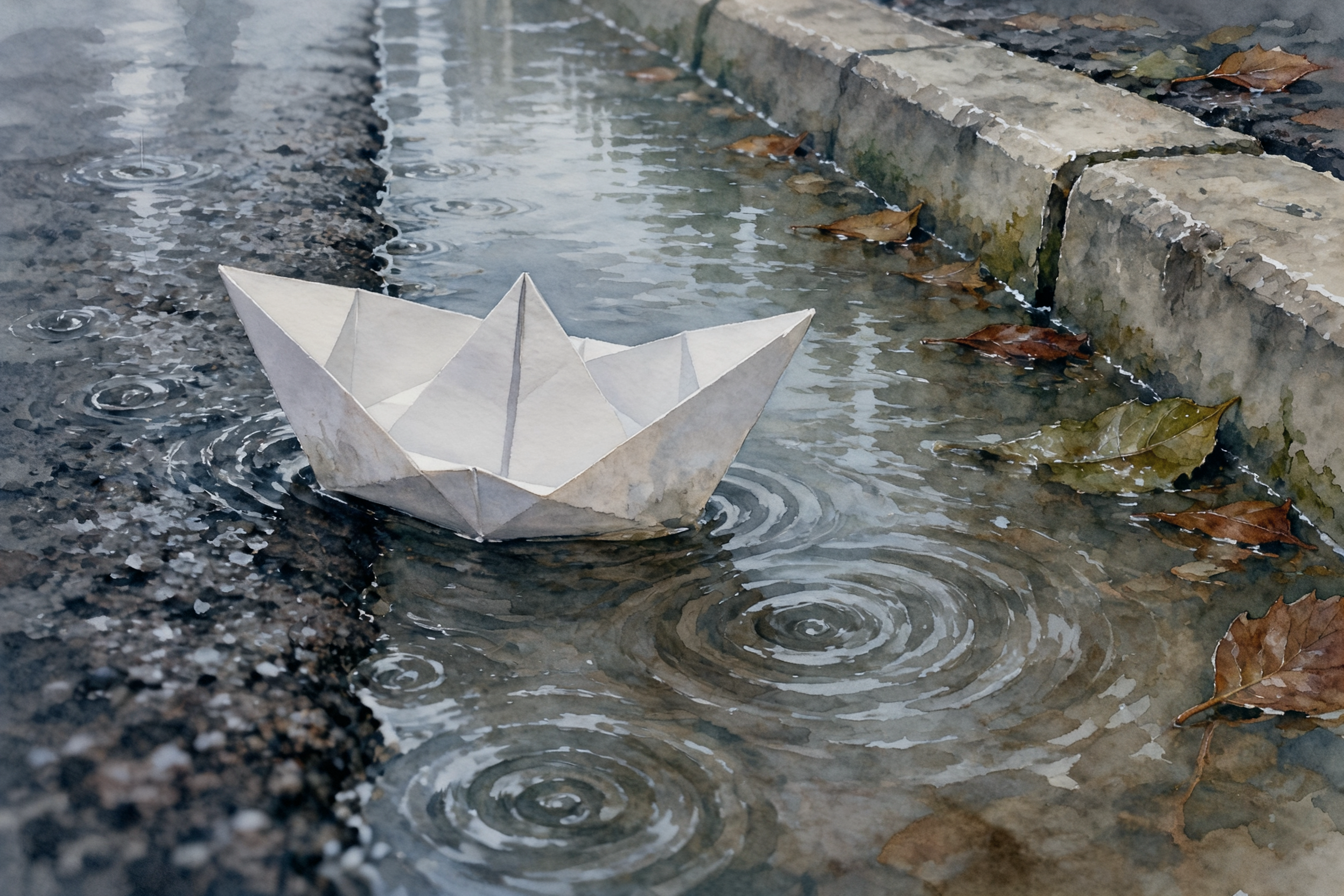 Image set · 3 × 2K · 39 credits The output of payloads/kling-4.0-image-series.json: 1 · 2 · 3 |
 8K image set · 10 × 8192×8192 · 320 credits Panels 1, 4, 7, and 10 of a ten-image story |
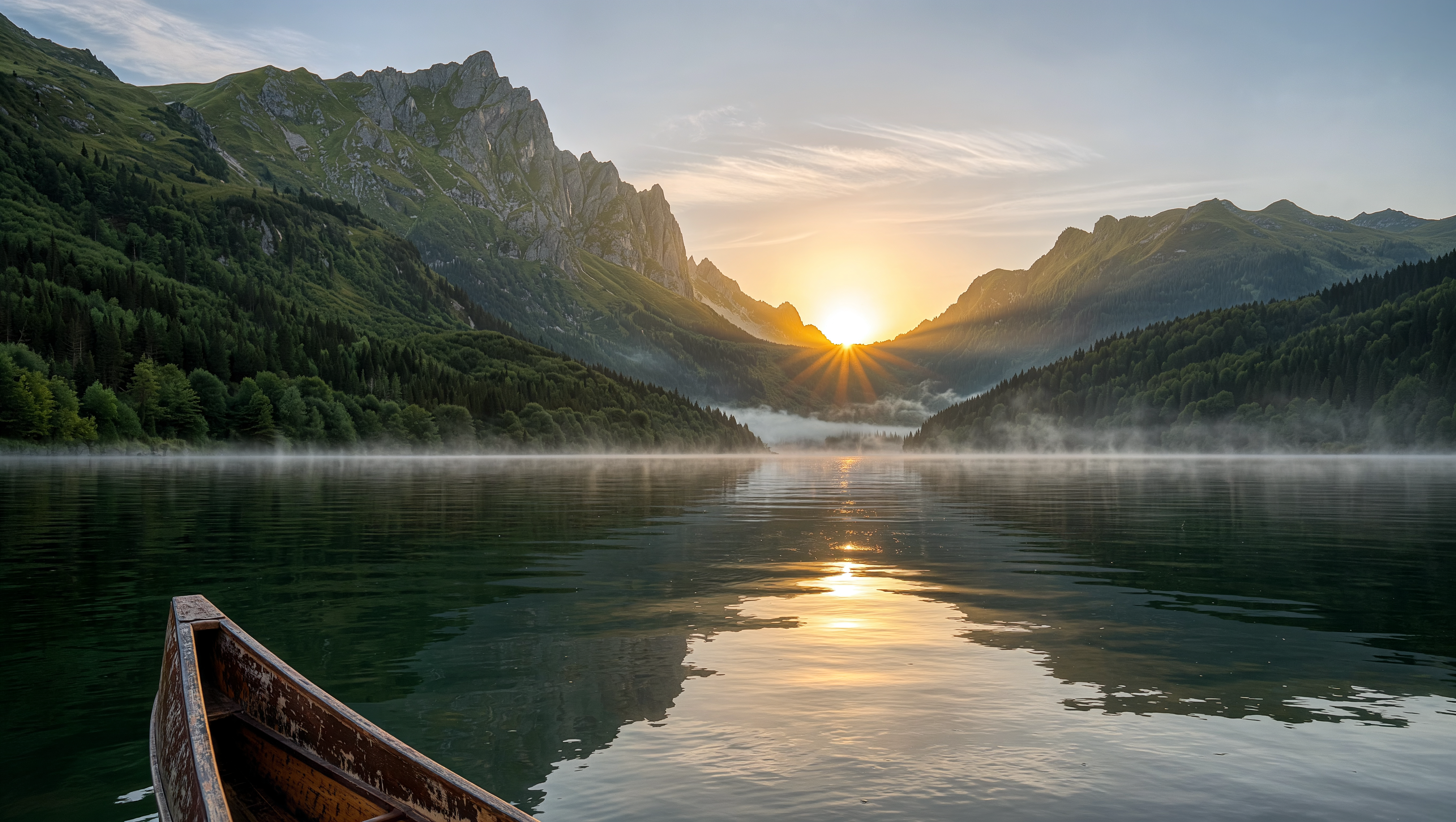 Text-to-image · 4K 16:9 · 19 credits 5440×3072 landscape |
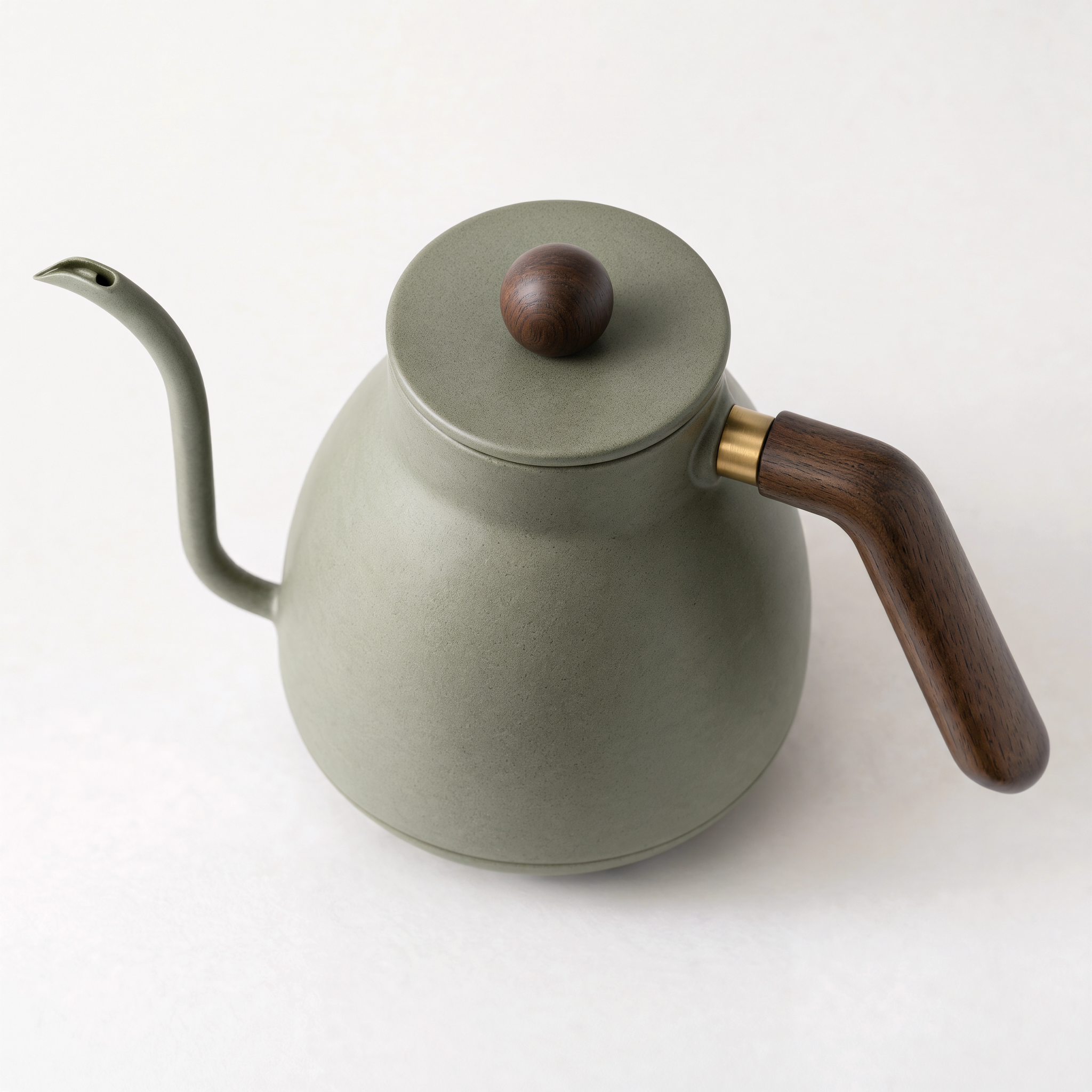
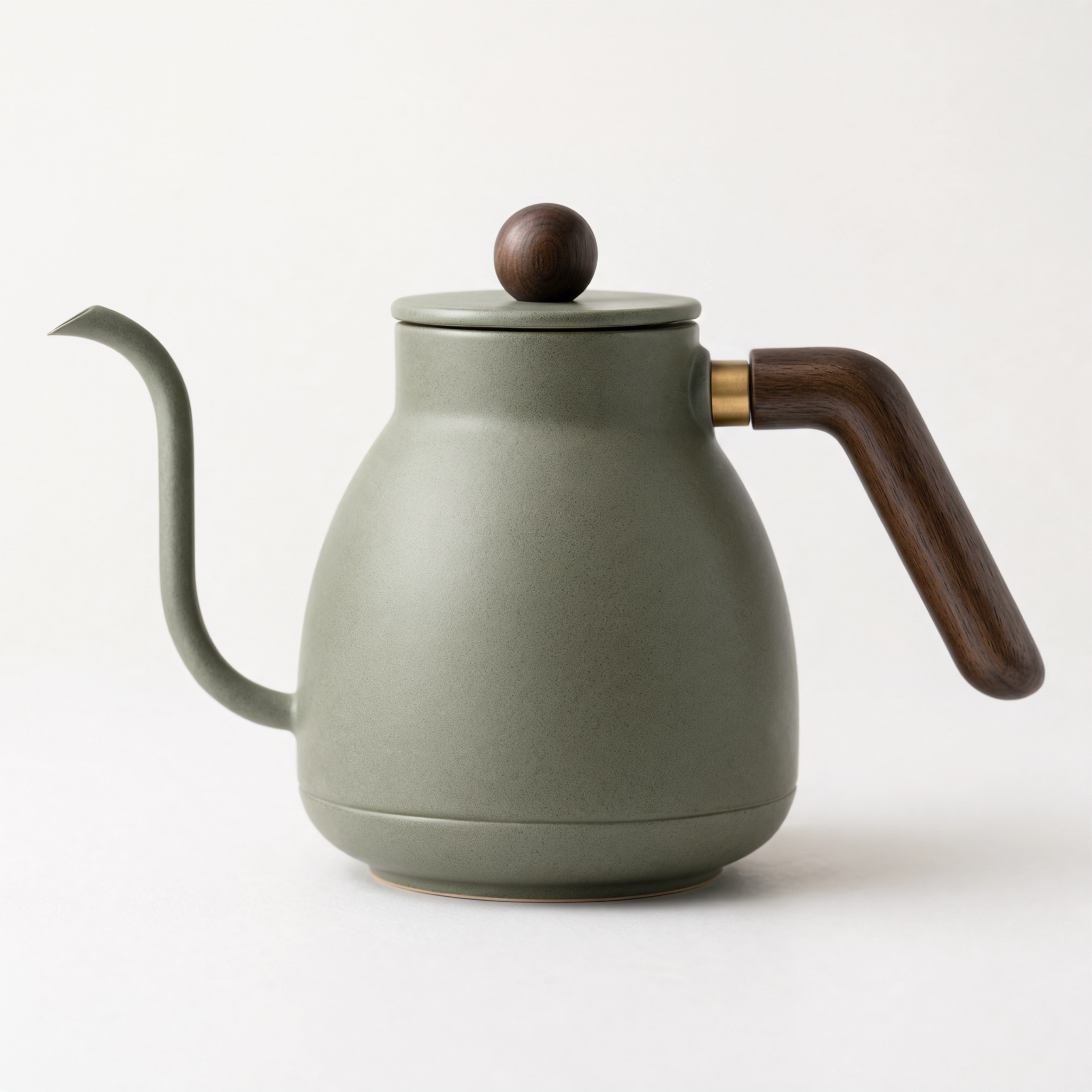 Product angle set · 3 × 2K 1:1 · 39 credits Used as @Element1 in the edit above: 1 · 2 · 3 |
 Long image · webpage · 1K (1024×5376) · 110 credits Sections of one tall page, shown side by side; the output of payloads/kling-4.0-long-image-webpage.json |
|


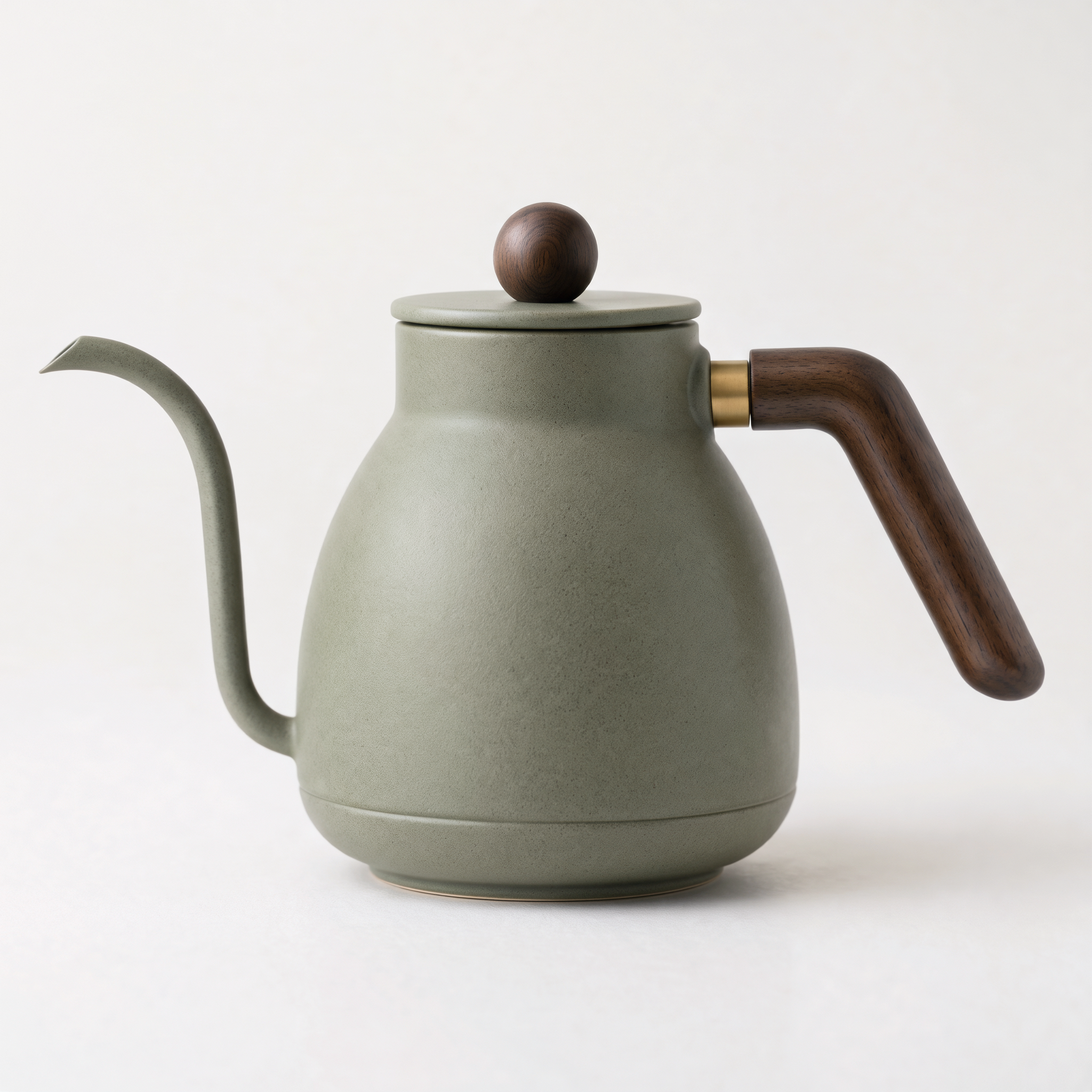
Prompt: barista pours from the kettle (edit, 2K)
@Image1 woman now holds @Element1 kettle by its walnut handle and pours a thin stream of hot water from its gooseneck spout into the glass coffee dripper on the counter. Keep her face, curly hair, outfit, pose and the kitchen of @Image1 unchanged. Keep the kettle's sage green ceramic body, round walnut lid knob, brass ring and walnut handle exactly as in @Element1. Natural window light, editorial photography.
@Image1 is the barista portrait from payloads/kling-4.0-image-text-to-image.json; @Element1 is the three-view kettle set.
Prompt: dewdrop macro (8K)
Macro photo of a dewdrop on a green leaf reflecting a tiny garden, ultra detailed
Prompt: paper boat story (image set, 3 × 2K)
A three-panel story of a paper boat drifting from a rainy city gutter to a calm sunny lake, same boat in every panel, watercolor style
Prompt: lighthouse keeper (8K image set, 10 images)
A ten-panel visual story of a lighthouse keeper's day from dawn to night, same lighthouse and keeper in every panel, detailed illustration
Settings: resolution: "8K", enable_sequential: true, n: 10.
Prompt: mountain lake (4K, 16:9)
A misty mountain lake at sunrise with a wooden canoe, cinematic landscape photography
Prompt: kettle views (image set, 3 × 2K)
Product photography set of the same minimalist ceramic pour-over coffee kettle in matte sage green with a curved walnut wood handle and a slim gooseneck spout: front view, side profile view, and three-quarter top view, each on a clean white seamless studio background with soft shadows. The exact same kettle in every image.
Prompt: Ember & Oak webpage (long image, 1K)
A landing page for a specialty coffee roastery called Ember & Oak: hero with coffee beans, story section, three featured blends with prices, brewing guide, customer reviews and footer. Warm earthy palette.
Kling Image 4.0 is the Kling 4.0 image model from Kling AI, the creative platform from Kuaishou, released on November 17, 2026. Kling describes its output as native 8K. Typical uses are 8K campaign visuals, storyboards and product angle sets built as image sets, product placement with multi-angle elements, website mockups, and ecommerce product detail pages.
On PoYo, Kling Image 4.0 is available as two model IDs that share one endpoint, one API key, and one request format:
kling-4.0-image |
kling-4.0-long-image |
|
|---|---|---|
| Creates | Photos, posters, product shots, storyboards | One tall image for a full webpage mockup or ecommerce product detail page |
| Inputs | Prompt, plus up to 10 reference images and up to 7 elements | Prompt, plus 1–3 product images (ecommerce) or a style and subject reference (webpage) |
| Resolution | 2K (default), 4K, 8K |
1K (1024 px wide, default), 2K (2048 px wide) |
| Images per request | 1–9, or an image set of 2–10 | 1 |
| Price | 13 / 19 / 32 credits per image | 47–173 credits per page |
Compared with the earlier Kling image models on PoYo:
| Kling Image 4.0 | Kling O3 Image | Kling O1 Image Edit | |
|---|---|---|---|
| Model IDs | kling-4.0-image, kling-4.0-long-image |
kling-o3-image, kling-o3-image-edit |
kling-o1-image-edit |
| Maximum resolution | 8K | 4K | 2K |
| References | Up to 10 images and 7 elements, 10 items in total | Up to 10 images, plus elements | Up to 10 images, plus elements |
| Images per request | 1–9, or a coherent set of 2–10 | 1–9 | 1–9 |
| Long page designs | Webpage and ecommerce pages | Standard images | Standard images |
| Prompt length | Up to 50,000 characters | Up to 2,000 characters | Up to 2,000 characters |
| Price on PoYo | 13 / 19 / 32 credits at 2K / 4K / 8K | 3.5 credits at 1K or 2K, 7 at 4K | 3.5 credits at 1K or 2K |
Choose Kling Image 4.0 for 8K stills, image sets, and long page designs. For high-volume drafts at 1K–2K, Kling O3 Image costs fewer credits per image.
- Create a key in the PoYo dashboard.
- Copy
.env.exampleto.envand replace the placeholder. - Run one of the examples. Each submits the task, polls until
finishedorfailed, and prints the image URLs.
POYO_API_KEY=YOUR_POYO_API_KEY_HERE
POYO_BASE_URL=https://api.poyo.aiThe smallest Kling Image 4.0 API call in Python submits one request and prints the task ID:
import json
import os
import urllib.request

body = {
    "model": "kling-4.0-image",
    "input": {"prompt": "A misty mountain lake at sunrise with a wooden canoe", "size": "16:9", "resolution": "4K"},
}
request = urllib.request.Request(
    "https://api.poyo.ai/api/generate/submit",
    data=json.dumps(body).encode("utf-8"),
    headers={
        "Authorization": f"Bearer {os.environ['POYO_API_KEY']}",
        "Content-Type": "application/json",
        "User-Agent": "kling-image-4-example/1.0",
    },
)
print(json.load(urllib.request.urlopen(request))["data"]["task_id"])
python/generate.py adds polling and prints the image URLs, using only the Python standard library:
python python/generate.py
python python/generate.py payloads/kling-4.0-image-edit-with-element.jsonnode node/index.mjs
node node/index.mjs payloads/kling-4.0-long-image-webpage.jsoncurl -X POST "https://api.poyo.ai/api/generate/submit" \
-H "Authorization: Bearer $POYO_API_KEY" \
-H "Content-Type: application/json" \
-d '{
"model": "kling-4.0-image",
"input": {
"prompt": "A misty mountain lake at sunrise with a wooden canoe, cinematic landscape photography",
"size": "16:9",
"resolution": "4K"
}
}'Status polling and the other modes are in curl/generate.md.
Every file in payloads/ is a complete request body with public input images, so it runs as-is.
| File | Model and mode | Settings | Credits |
|---|---|---|---|
kling-4.0-image-text-to-image.json |
kling-4.0-image text-to-image |
2K, 3:4, 1 image | 13 ($0.065) |
kling-4.0-image-edit-with-element.json |
kling-4.0-image edit, @Image1 + @Element1 |
2K, 1 reference image + 1 element (3 views) | 15 ($0.075) |
kling-4.0-image-series.json |
kling-4.0-image image set |
2K, 3:2, enable_sequential: true, n: 3 |
39 ($0.195) |
kling-4.0-image-8k.json |
kling-4.0-image text-to-image |
8K, size: auto |
32 ($0.16) |
kling-4.0-long-image-webpage.json |
kling-4.0-long-image webpage |
1K | 110 ($0.55) |
kling-4.0-long-image-ecommerce.json |
kling-4.0-long-image ecommerce |
1K, length: medium, 1 product image |
95 ($0.475) |
The model ID and the supplied fields select the mode.
| Model | Mode | Selected when |
|---|---|---|
kling-4.0-image |
Text-to-image | image_urls is omitted |
kling-4.0-image |
Image-to-image: edit, combine, place elements | image_urls holds 1–10 URLs; add up to 7 kling_elements |
kling-4.0-long-image |
Webpage design | skill is webpage (default); add style_image_url and subject_image_url as needed |
kling-4.0-long-image |
Ecommerce product detail page | skill is ecommerce with 1–3 product images in image_urls; pick length |
Reference inputs are numbered by order: the first URL in image_urls is @Image1, the first element is @Element1. Long-image prompts use @Image1–@Image3 for product images, @StyleImage for the style reference, and @SubjectImage for the subject reference.
- Give every reference a role: name inputs by position and say what each one supplies and what stays fixed, for example "Keep her face, outfit and the kitchen of @Image1 unchanged; keep the kettle exactly as in @Element1".
- Build elements from clean views: put the frontal view first, then 1–3 other angles of the same character or object on a plain background, as in the kettle set above.
- Describe the whole image set: state the thread that links the images ("same boat in every panel", "from dawn to night") and set
nto the number of panels; the images come back in order. - Quote text you want rendered: put exact words in quotes, say where each line goes, and describe the typeface. According to Kling, one image can hold up to 2,000 characters in English, Simplified and Traditional Chinese, Japanese, Korean, Spanish, and Portuguese.
- List page sections in order: for long images, name the sections from hero to footer; for ecommerce pages, match
lengthto the number of sections (short about 2–5, medium 6–10, long 11–18). - Draft small, then render large: iterate at 2K, then rerun the final prompt at 4K or 8K.
More examples are in the Kling Image 4.0 API reference and the Long Image reference.
| Field | Requirement | Meaning |
|---|---|---|
| prompt | required | 1–50,000 characters; refer to inputs as @Image1, @Element1. |
| image_urls | optional | 1–10 public image URLs; selects image-to-image mode. Each up to 30 MB, at least 300 px per side, aspect ratio 0.4–2.5. |
| kling_elements | optional | Up to 7 elements with image_urls. Each is {"element_input_urls": [...]} with 2–4 views, frontal view first. image_urls + elements ≤ 10. |
| size | optional | auto (default), 16:9, 9:16, 1:1, 4:3, 3:4, 3:2, 2:3, or 21:9. |
| resolution | optional | 2K (default), 4K, or 8K. |
| enable_sequential | optional | false (default) for independent images; true for a coherent image set returned in order. |
| n | optional | 1–9 (default 1) for independent images; 2–10 (default 4) for an image set. |
| Field | Requirement | Meaning |
|---|---|---|
| prompt | required | 1–50,000 characters; refer to inputs as @Image1, @StyleImage, @SubjectImage. |
| skill | optional | webpage (default) or ecommerce. |
| image_urls | with ecommerce |
1–3 product image URLs, same limits as above. |
| length | with ecommerce |
short, medium (default), or long. |
| style_image_url | with webpage |
Style reference; the design follows its look and layout. |
| subject_image_url | with webpage |
Subject reference; the page is built around it. |
| resolution | optional | 1K (1024 px wide, default) or 2K (2048 px wide); height follows the content. |
Both models accept a top-level callback_url for webhooks.
1 credit = $0.005. Billing is pay-as-you-go per image, and credits are charged only for tasks that finish successfully.
| Resolution | Credits per image |
|---|---|
| 2K | 13 ($0.065) |
| 4K | 19 ($0.095) |
| 8K | 32 ($0.16) |
| Each reference image or element | +1 ($0.005), once per request |
Billing follows the number of images returned: credits = images × resolution price + 1 × (reference images + elements).
| Page | 1K | 2K |
|---|---|---|
webpage |
110 ($0.55) | 120 ($0.60) |
ecommerce short |
47 ($0.235) | 57 ($0.285) |
ecommerce medium |
94 ($0.47) | 110 ($0.55) |
ecommerce long |
157 ($0.785) | 173 ($0.865) |
Each reference image (image_urls, style_image_url, subject_image_url) adds 1 credit.
| Request | Credits |
|---|---|
| One 2K image | 13 ($0.065) |
| 2K edit with 1 reference image and 1 element | 15 ($0.075) |
| Three-image 2K set | 39 ($0.195) |
| One 8K image | 32 ($0.16) |
| Nine 8K images | 288 ($1.44) |
| Ten-image 8K set | 320 ($1.60) |
Confirm current prices on the model page before a production rollout.
submit -> persist data.task_id -> poll during development -> receive callback_url webhook in production
Treat finished and failed as terminal states. Typical time to finished in PoYo testing:
| Request | Time |
|---|---|
| One 2K image | about 45–60 seconds |
| One 4K image | a little over 1 minute |
| One 8K image | about 2.5 minutes |
| Edit with references | about 1–2.5 minutes |
| Three-image 2K set | about 3.5 minutes |
| Nine 8K images | about 10 minutes |
| Ten-image 8K set | about 30 minutes |
| Long image, webpage or 1K ecommerce | about 2–4 minutes |
Long image, long ecommerce at 2K |
up to about 12 minutes |
Outputs are PNG files: about 7.5 MB at 2K, 27 MB at 4K, and 100 MB at 8K; a long ecommerce page at 2K can reach 2048×54,941 pixels (about 87 MB). Copy output files to your own storage after the task finishes, and use callback_url for 8K batches. Accept a webhook only for task IDs your system created, process it idempotently, and reconcile the final state through the status endpoint.
Always read code in the response body: success is code: 200, and parameter checks report code: 400 in a body delivered with HTTP 200.
code |
error.type |
Example message and fix |
|---|---|---|
| 400 | validation_error |
kling_elements requires image_urls (image-to-image mode): add at least one image to image_urls. |
| 400 | validation_error |
kling_elements[0].element_input_urls must contain 2-4 images: give each element a frontal view plus 1–3 other angles. |
| 400 | validation_error |
image_urls and kling_elements together can contain at most 10 items: keep the combined count at 10. |
| 400 | validation_error |
n must be an integer between 1 and 9 when enable_sequential is false: use 1–9, or set enable_sequential to true for 2–10. |
| 400 | validation_error |
image_urls is used with skill ecommerce or length is used with skill ecommerce: set skill to ecommerce, or use style_image_url and subject_image_url for webpages. |
| 400 | content_moderation_error |
The prompt or an image was declined by safety review: revise and submit a new task. |
| 401 | authentication_error |
Missing or invalid key: send Authorization: Bearer <POYO_API_KEY>. |
| 402 | insufficient_credits_error |
Top up credits in the dashboard. |
| 429 | rate_limit_error |
Back off and retry. |
| 500 / 502 / 503 | server errors | Retry with exponential backoff. |
A task that fails after submission returns status: "failed" with error_message, and its credits stay in your balance. See error codes.
Kling Image 4.0 is the Kling 4.0 image model from Kling AI (Kuaishou), released on November 17, 2026. It generates and edits images at 2K, 4K, or native 8K, creates image sets of up to 10 images, and designs long webpage and ecommerce pages. PoYo serves it as kling-4.0-image and kling-4.0-long-image.
Yes. Send POST https://api.poyo.ai/api/generate/submit with model kling-4.0-image or kling-4.0-long-image. You only need a PoYo API key: the same key covers both model IDs and every other model on PoYo.
kling-4.0-image costs 13 credits ($0.065) at 2K, 19 ($0.095) at 4K, and 32 ($0.16) at 8K per image, plus 1 credit per reference image or element once per request. kling-4.0-long-image costs 110 or 120 credits for a webpage and 47–173 credits for an ecommerce page. See pricing.
It is pay-as-you-go on PoYo, with no subscription or minimum spend. You can try it in the Playground before integrating the API. The lowest-cost request is one 2K image at 13 credits ($0.065).
kling-4.0-image creates standard images: text-to-image, or image editing with up to 10 reference images and elements, as single images or image sets. kling-4.0-long-image creates one tall image for a full page: a webpage design or an ecommerce detail page from 1–3 product photos, 1024 or 2048 pixels wide.
Yes. Set resolution to 8K for images such as 8192×8192 at 1:1; Kling describes this as native 8K generation. 8K PNG files are around 100 MB each, so plan storage and download time for batches.
Yes. Pass the image in image_urls, set resolution to 4K or 8K, and ask the model to keep the composition, subject, and colors unchanged. The result is a newly generated image at the selected resolution, so describe anything that must stay exactly the same. The reference adds 1 credit.
Up to 10 images in image_urls and up to 7 elements in kling_elements, with 10 items in total. Each element is one character or object in 2–4 views, frontal view first, and is used together with image_urls. Refer to them as @Image1 and @Element1 in the prompt.
Set enable_sequential to true and n from 2 to 10 (default 4). The images share subjects and style and are returned in order, which suits storyboards, product angles, and slide decks. With enable_sequential set to false, n from 1 to 9 returns independent images for the same prompt.
Yes. According to Kling, one image can hold up to 2,000 characters in English, Simplified Chinese, Traditional Chinese, Japanese, Korean, Spanish, and Portuguese. Put the exact words in quotes and say where each line goes.
In PoYo testing, a single 2K image finished in about 1 minute, a single 8K image in about 2.5 minutes, and a 1K long page in about 2–4 minutes. A ten-image 8K set took about 30 minutes, so use callback_url for large 8K batches.
Kling Image 4.0 goes up to native 8K, while Kling O3 Image offers up to 4K and Kling O1 Image Edit up to 2K. Kling Image 4.0 adds image sets of 2–10 images, prompts of up to 50,000 characters, and a separate long image model. See the comparison table.
Yes. Pass the image URL as the first frame in image_urls of a kling-4.0 request, the Kling 4.0 video model on the same PoYo endpoint. Examples are in Kling-4.0-API.
Yes. The PoYo MCP bridge exposes the models as the poyo_kling_4_0_image and poyo_kling_4_0_long_image tools.
payloads/— complete request bodies for each mode of both model IDspython/generate.py— standard-library Python examplenode/index.mjs— dependency-free Node.js examplecurl/generate.md— copy-paste cURL requestsdocs/production-notes.md— limits, file sizes, and rollout checklistassets/— gallery previews of real outputs
- Kling-4.0-API — Kling 4.0 video: text, image, reference, and video-to-video
- Kling-O3-API — Kling O3 video examples
- Kling-3.0-API — Kling 3.0 video with native 4K
- awesome-poyo-api — every PoYo model repository in one list
- poyo-examples — examples across PoYo models
- poyo-devtools — PoYo CLI, MCP bridge, and Agent Skill (MCP tools
poyo_kling_4_0_image,poyo_kling_4_0_long_image)
- Kling Image 4.0 API on PoYo
- Kling Image 4.0 API reference
- Kling Image 4.0 Long Image API reference
- PoYo model catalog
MIT