
-
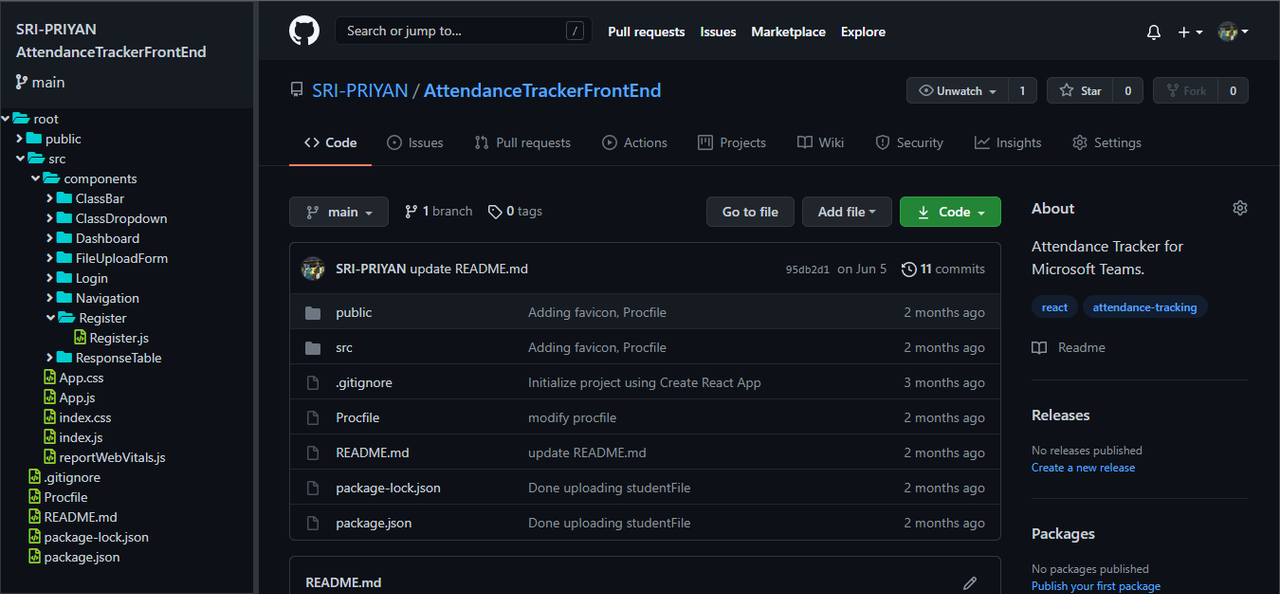
A chrome extension which shows the directory structure for easy navigation in the Github repositories.
-
Makes use of the Github API to get the contents of the repository. Parses the json response and creates a tree data structure to efficiently handle operations.
-
Clone this repository anywhere you want.
git clone https://github.com/SRI-PRIYAN/GithubFileExplorer.git
-
Open your chromium based browser and go to
chrome://extensions. -
Toggle the developer mode.
-
Click on
Load unpackedand select the path of the cloned repository. -
Now, you can go into any public Github repo and its directory structure will be displayed on the left hand side.