
A fast, memory-safe wallpaper renderer for Linux and macOS, compatible with Wallpaper Engine content. Written in Rust on wgpu — Vulkan on Linux, Metal on macOS — fully multithreaded, with a hash-keyed prebaked scene-bundle cache.
kirie renders wallpapers you already own: scenes are drawn with Wallpaper Engine's shared assets, which Steam releases only to an account that owns the app. It ships none of them, and it is not a way to get Wallpaper Engine content without buying it.
Every wallpaper is validated scene by scene against how Wallpaper Engine itself renders it, so what you see on Linux is what the author published.
Renders scene, video, image, and web wallpapers, with audio-reactive visualizers, SceneScript (JS) scripting, 3D puppet/model layers, and the full effect pipeline.
Captured with kirie --screenshot, so these are kirie's own output rather than
the Workshop preview art. Titles link to the item on Steam.
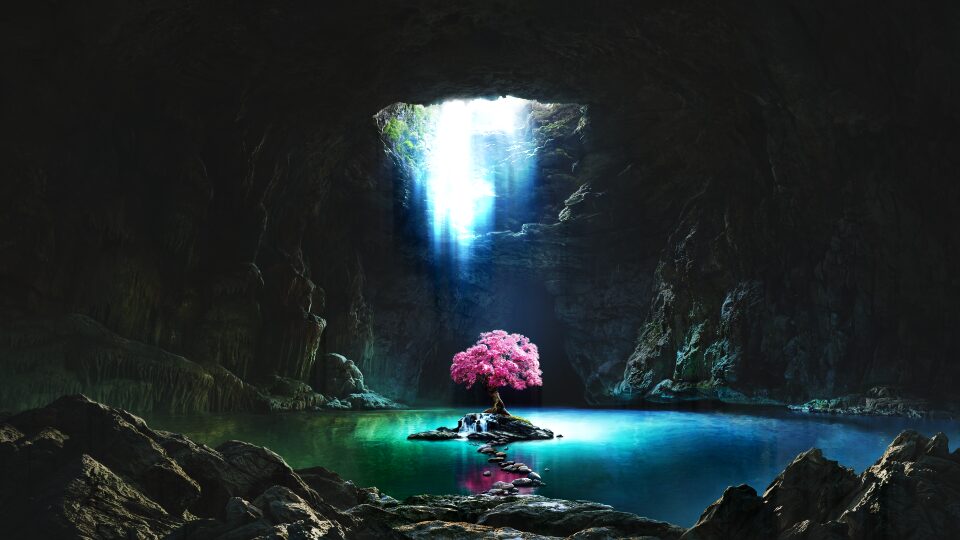 Tree of life |
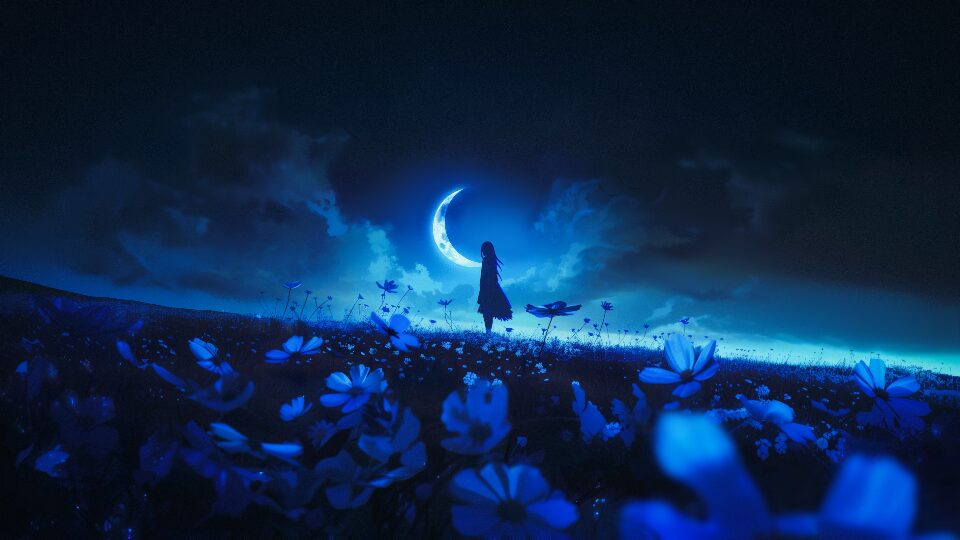 Moonlight |
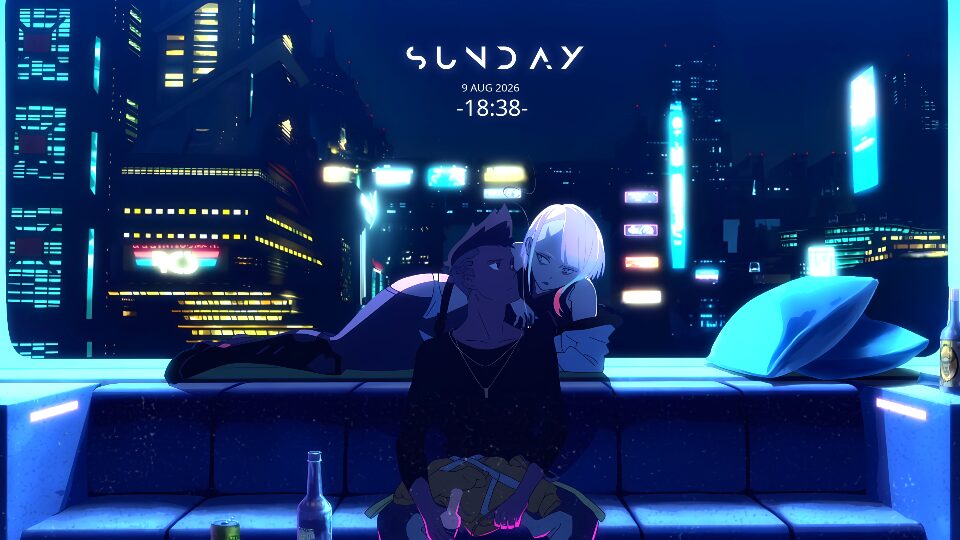 Cyberpunk: Edgerunners |
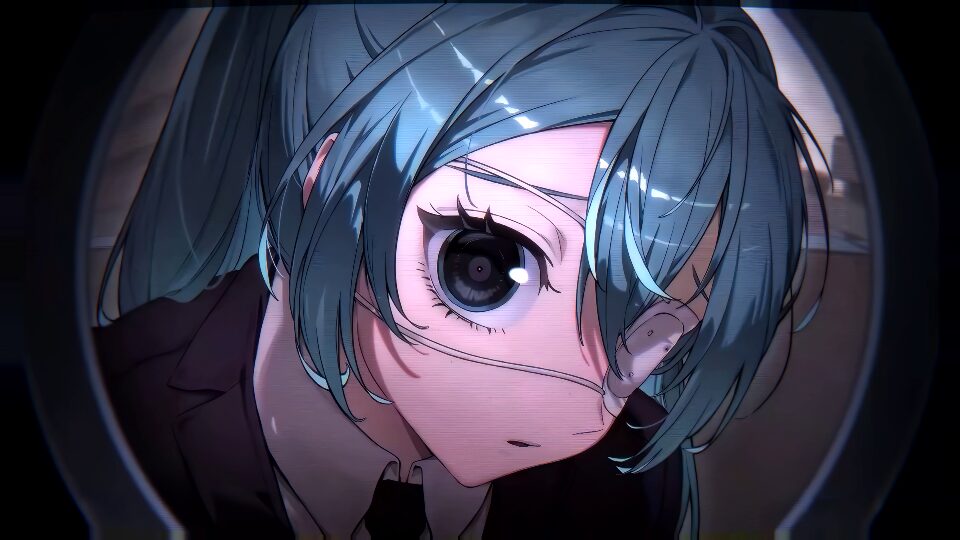 Miku Monitoring |
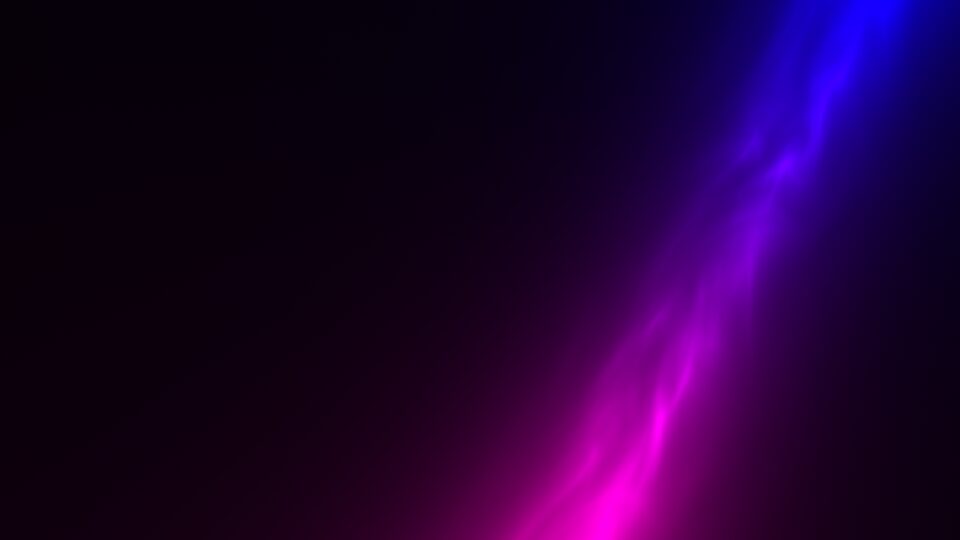 Ethereal Light Pillar |
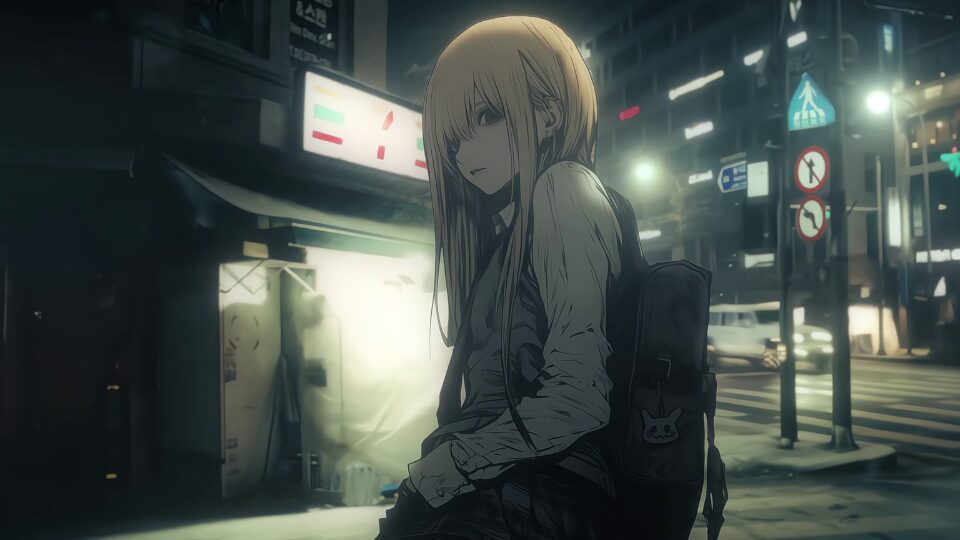 冷冰冰的誓言 (video) |
More, with per-item notes, on the
compatibility list — and
kirie list reports what is installed locally, including whether this build can
render each item.
Add a wallpaper to the list: report it in an
issue
(no repo checkout needed), or edit
site/wallpapers.json and open a pull request. Working
wallpapers are as useful to file as broken ones. Run python3 site/validate.py
first; CI runs the same check.
Read the list from your own code: it is one static file, served with
Access-Control-Allow-Origin: *, so there is no API to sign up for:
curl -s https://unhingedsoftware.github.io/kirie/wallpapers.json \
  | jq -r '.wallpapers[] | select(.status == "works") | .id'
Branch on the top-level schema field — it is bumped if the entry shape ever
changes.
Rust (stable) plus the system libraries the workspace links against.
# Arch
sudo pacman -S --needed rust ffmpeg alsa-lib libpulse shaderc glslang \
    wayland libxkbcommon libx11 mpv freetype2 dbus

# Debian/Ubuntu
sudo apt install -y build-essential clang cmake pkg-config \
    libavcodec-dev libavformat-dev libavutil-dev libswscale-dev libswresample-dev \
    libasound2-dev libpulse-dev libshaderc-dev glslang-dev \
    libwayland-dev libxkbcommon-dev libx11-dev libxcb1-dev libfreetype-dev libdbus-1-dev

# Default build (no web backend): lean and always-green.
cargo build --release -p kirie
The binary is target/release/kirie.
brew install ffmpeg pkg-config cmake ninja
cargo build --release --no-default-features --features web-webview
--no-default-features also drops the tui feature, so that build has no
kirie workshop browse; kirie workshop search works either way. Add tui to
the feature list to keep it.
A build like that links against Homebrew's ffmpeg, so it stops working when
Homebrew moves to a new major version. Release binaries carry their own
(--features portable), which is why they need nothing installed.
Wallpapers are drawn in one borderless window per screen, at the desktop window
level, so they sit behind your icons. Web wallpapers use the system WebKit —
there is nothing to install for them. Scenes need Wallpaper Engine's shared
assets — which means owning Wallpaper Engine; point KIRIE_WE_ASSETS at a copy,
or let
haru fetch them.
Copy the binary somewhere on your path with rm first — overwriting a Mach-O
in place invalidates its signature and macOS then kills it at launch with no
message:
rm -f ~/.local/bin/kirie && cp target/release/kirie ~/.local/bin/kirieA downloaded binary is quarantined, and releases are not notarized, so macOS refuses to run it until the flag is cleared. Something you built yourself is unaffected.
xattr -d com.apple.quarantine kirie-macos-aarch64Not there yet: audio-reactive wallpapers render but do not react (no capture),
and clicks only reach a wallpaper with --interactive, since a wallpaper that
takes clicks takes them from the desktop too.
Web ("type": "web") wallpapers need an embedded browser, behind a cargo
feature. The default build enables neither, so it needs no browser libraries.
| Feature | Backend | System deps |
|---|---|---|
web-cef |
Chromium Embedded Framework (off-screen) | cmake, a C++ toolchain, clang; libcef downloaded on first build |
web-webview |
wry + system webkit2gtk-4.1 | libwebkit2gtk-4.1-dev, libsoup-3.0-dev |
cargo build --release -p kirie --features web-cef      # bundles CEF, composites via wgpu
cargo build --release -p kirie --features web-webview # needs webkit2gtk-4.1One binary, driven by flags or by its control socket, so a shell or panel can launch and steer it without a wrapper:
kirie --screen-root HDMI-A-1 --bg /path/to/workshop/item --scaling fill
kirie info <item|scene.pkg|.tex>       # inspect
kirie extract <scene.pkg|.tex> -o DIR  # unpack
kirie list                             # what is installed
kirie check                            # can this machine render at all?
kirie workshop browse                  # find more, and subscribe
Anywhere a wallpaper is named you can give a Workshop ID instead of a path, and kirie looks it up across your Steam libraries:
kirie --screen-root HDMI-A-1 --bg 1388331347Every subcommand, flag, control-socket command and environment variable, each with a worked example, is in the command reference.
The Workshop commands talk to your own running Steam client, so they need
Steam open and an account that owns Wallpaper Engine — Steam enforces that,
kirie does not check licences itself. kirie workshop search "miku" --tag Scene is the same thing without the terminal UI, and every result says
whether this build can render it before you install it.
kirie workshop subscribe 1388331347 --wait --apply HDMI-A-1subscribes, waits for Steam to fetch it, and shows it — the wallpaper arrives in Steam's own library, updates with it, and Wallpaper Engine on Windows sees it too.
Start it with a control socket, then drive it from a shell or a panel:
kirie --screen-root HDMI-A-1 --bg 1388331347 --control-socket /tmp/kirie.sock &
kirie ask --socket /tmp/kirie.sock status
kirie ask --socket /tmp/kirie.sock bg HDMI-A-1 /path/to/other/item
Without --control-socket the socket is $XDG_RUNTIME_DIR/lwe.sock
(%LOCALAPPDATA%\kirie\lwe.sock on Windows), which is also where kirie ask
looks by default. The full command list is in the
command reference.
--screenshot renders one frame headlessly and exits, so it needs no
compositor and no --screen-root:
kirie --bg 1388331347 --screenshot shot.png --screenshot-delay 10The extension picks the format and must be .png, .jpg, .jpeg or .bmp.
- Wallpaper Engine is a product of Wallpaper Engine Team; this project is an independent, unaffiliated renderer for its content formats.
- Wallpapers on the compatibility list are the work of their Workshop authors.
AGPL-3.0-or-later. See LICENSE.
Copyleft: you may use kirie (including commercially) and modify it, but if you distribute it or run a modified version as a network service, you must make your modified source available under the same license.