# TODO
- [x] API key authentication per device
- [x] User based authentication for UI
- [ ] Read-only keys for retrieving data
- [x] Way to connect to dashboards such as Grafana via API instead of DB backend
- [x] Ability to Remove/Reset api keys
- [ ] Docker compose to include Grafana
- [ ] Docker compose nginx for HTTPS support
- [ ] Admin user with user management in UI
# Getting Started
## Environment Variables
The Flask app needs environment variables in order to run
In standalone mode this can be achieved by using a .env in the app directory or exporting the variables to the shell using
```bash
source ./my.env
```
In docker this can be passed in using the env file parameter
```
--env-file my.env
```
### .env example
```bash
DEBUG=True
FLASK_ENV=development
APP_KEY=<MySuperSecretKey>
FLASK_APP=main
MYSQL_HOST=db-hostname-or-ip-address
MYSQL_USER=sensor-logger-user
MYSQL_PASSWORD=superpassword2
MYSQL_DB=sensors-logger
```
## Run Flask app
```bash
git clone https://github.com/krispage/sensor-logger.git
cd sensor-logger
```
### Install dependencies
#### Using virtualenv for dependencies
Requires python virtualenv https://packaging.python.org/guides/installing-using-pip-and-virtual-environments/
```bash
virtualenv venv
. venv/bin/activate
pip install -r requirements.txt
```
#### Installing dependencies on system
```bash
pip install --user -r requirements.txt
```
### Run the application
```bash
export FLASK_APP=main; flask run
```
## Run in Docker
### build
```
docker build . -t krispage/sensor-logger:latest
```
### Docker run
```
sudo docker run -p 5000:5000 krispage/sensor-logger:latest
```
## Docker compose
```
docker-compose --env-file compose.env up
```
# Add user
## Running locally
```
flask cmd create_user admin blabla
```
## Docker
```
docker exec -i <CONTAINER ID> /bin/sh -c "export FLASK_APP=/etc/flask/src/flask_app/main; flask cmd create_user <my user> <mypass>"
```
# Example scripts for logging data
<https://github.com/krispage/sensor-logger-devices>
# Demo creating a user
[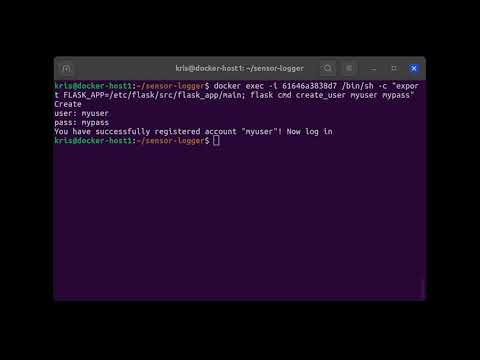](https://www.youtube.com/watch?v=Zq2n7a_IO4c)
# Demo adding device and logging data
[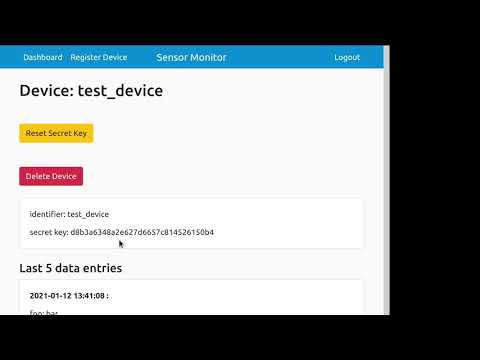](https://www.youtube.com/watch?v=23sCRkLPcfU)

](https://www.youtube.com/watch?v=Zq2n7a_IO4c)
](https://www.youtube.com/watch?v=23sCRkLPcfU)