

Stress-test a real robot, see exactly why it fell, and prove the fix.
On a laptop, in a browser.


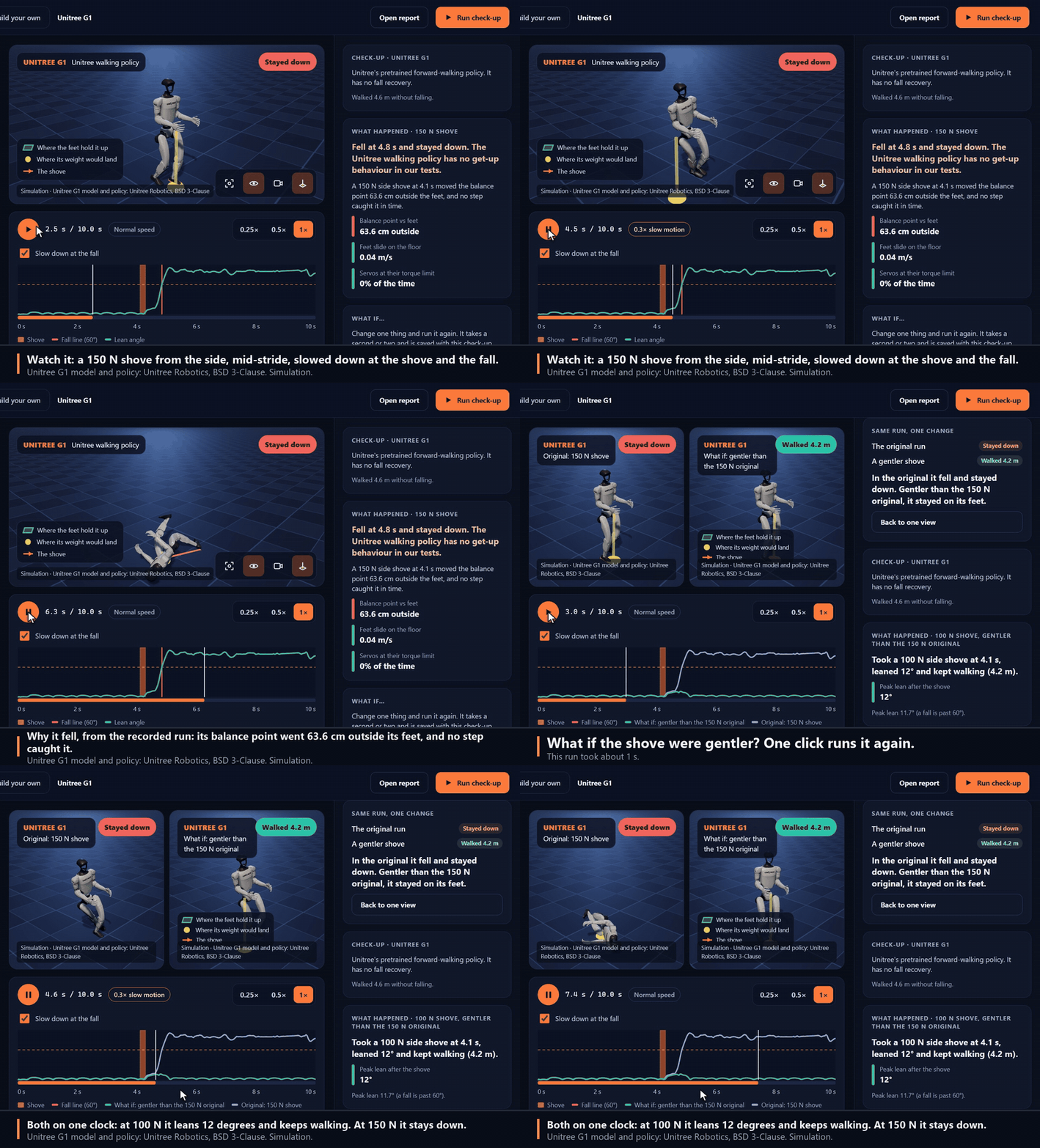
The real app on saved runs: a 150 N shove, why it fell, and one click to try it gentler. Watch the 1-minute tour. Unitree G1 model and policy by Unitree Robotics, BSD 3-Clause. Simulation.
Creature Lab runs published robots with their real trained walking policies. It shoves them at dozens of strengths and moments, walks them over stairs, ramps, rough ground and stepping stones, and tries a failing motor, late commands, slippery floors, loads and weak batteries. Then it explains every fall from the recorded evidence: where the weight went relative to the feet, how fast the feet slid, whether a foot caught a step or missed a stone, and whether the motors ran out of torque. Change one thing, or swap the policy, and see whether the fall is fixed. The physics runs on the CPU (MuJoCo). It is a simulation, not the hardware.
uvx --from "creature-lab[app]" creature-lab # or: pip install "creature-lab[app]", then creature-labOr from a clone, which also gives you the classic editor and the tests:
git clone https://github.com/oney-erge/Creature-Lab.git
cd Creature-Lab
./run.sh            # macOS: ./run.command   Windows: run.bat
Either way it installs prebuilt packages only (no compiler, about 300 MB) and opens the app. Press Download and check up on the Unitree G1 and accept its license. On a laptop, the download and the whole check-up (40 shoves, then uneven ground, weak motors, late commands, slippery floors and loads) took 47 s from an empty cache.
- Watch a shove in 3D, slowed down at the shove and the fall. The app draws the floor area that holds the robot up and the point where its weight would land.
- Read why it fell in plain words, with the numbers behind it.
- Walk it over uneven ground: stairs, a ramp, rough ground and stepping stones, sized to the robot. A fall there is explained as a toe caught on a step, a foot down a gap or a slope too steep.
- Ask "what if": shove from the other side, harder or gentler, on a slippery floor, slower, faster or carrying a load. It runs again in about a second and plays beside the original.
- Compare policies on the same test. The 29-joint Unitree G1 has two policies trained for Creature Lab, one with small shoves and one with strong shoves; the Microduck has Pollen's walk-only and walk-and-get-up policies. A robot with more than two lets you pick which to compare.
- Bring your own robot and policy: a MuJoCo model, an ONNX policy and a small
robot.toml(robots validate,robots add; guide) get the same shoves and explanations. - Check for regressions from the command line:
robots comparesays which tests got better or worse between two check-ups (--fail-on-regressionfor CI), androbots cardwrites an SVG robustness card for a README or model card. - Build your own quadruped, hexapod, worm or humanoid with sliders, and run it.
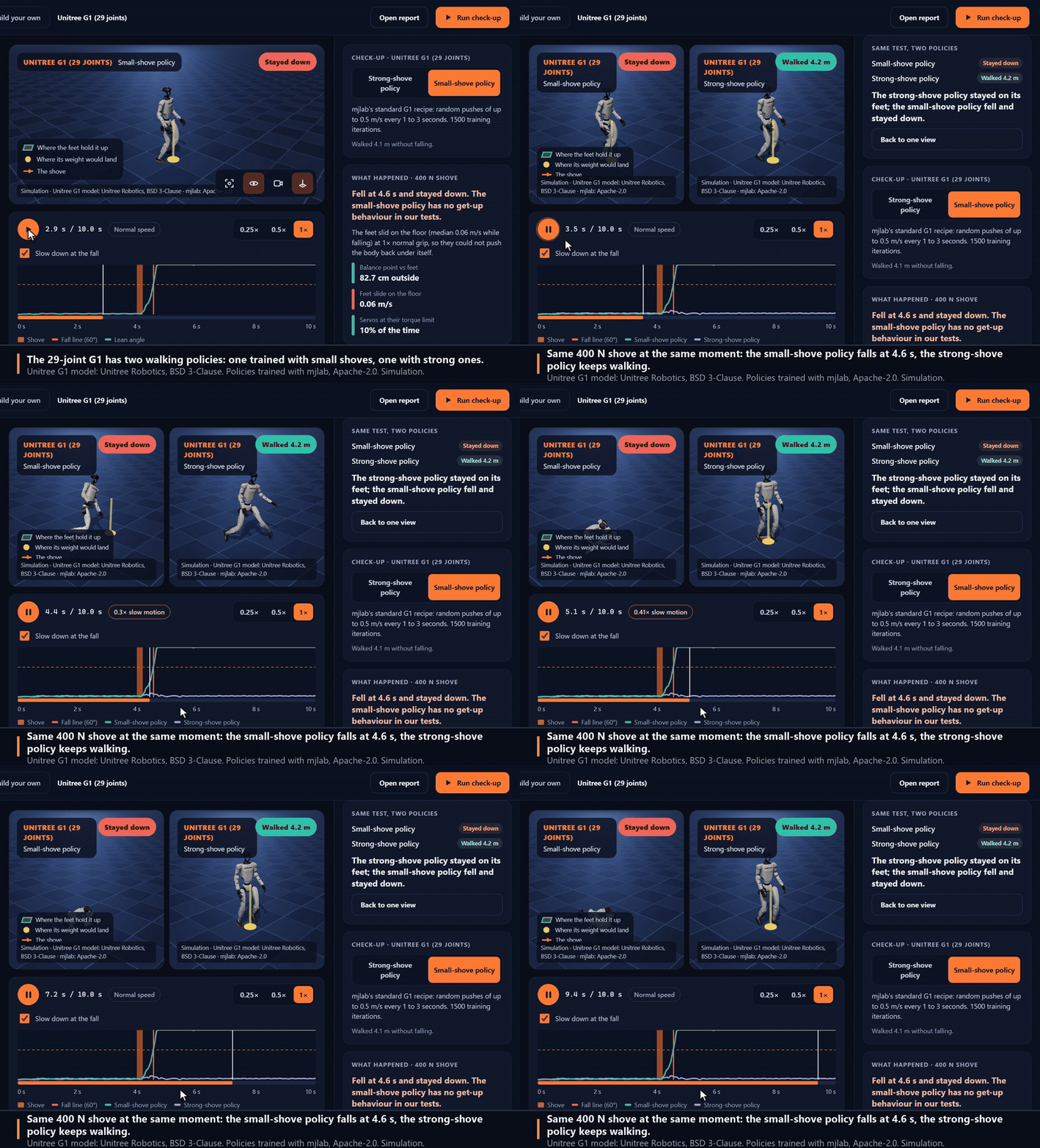
Same 400 N shove, same moment, two policies trained the same way except for how hard they were shoved in training (simulation). Over eight shoves at 400 N the small-shove policy fell 5 times, the strong-shove policy once. Unitree G1 model: Unitree Robotics, BSD 3-Clause.
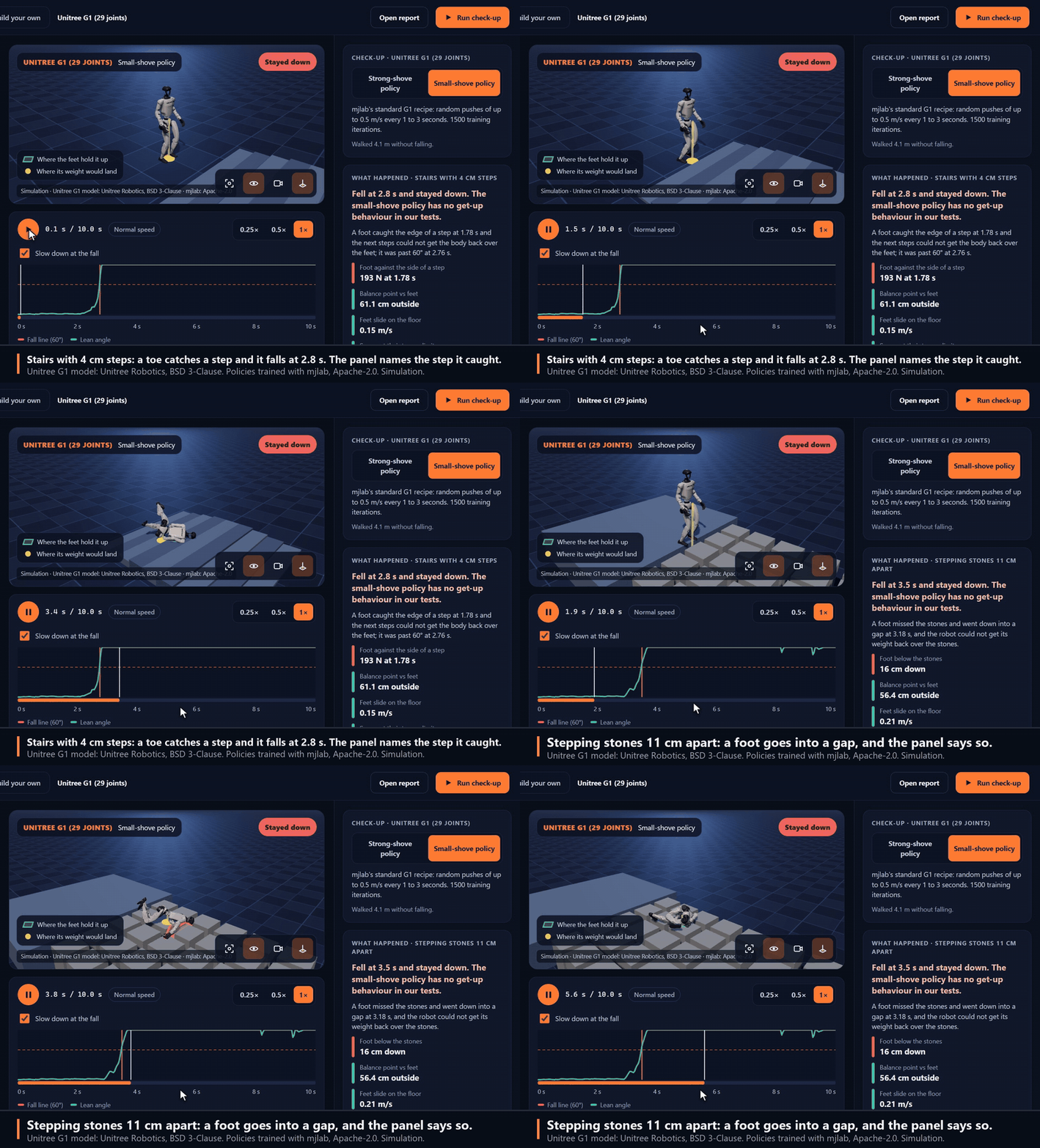
Uneven ground (simulation): stairs with 4 cm steps and stepping stones 11 cm apart. Neither of the G1's policies was trained on anything but a flat floor, and both fall on every stair height the check-up tries. Unitree G1 model: Unitree Robotics, BSD 3-Clause.
uv sync --inexact --extra robots
uv run creature-lab robots checkup unitree-g1     # or: microduck
uv run creature-lab robots compare BEFORE_DIR AFTER_DIR --fail-on-regression
A check-up writes an HTML report; add --film for a 1080p film. See
Robot check-up for the tests, how falls are explained, licenses and limits.
Creature Lab started as a workbench for designing modular robots, and that is still here: a zoo of
working and deliberately broken creatures, a part-by-part build editor with URDF import and export,
root-cause diagnosis, and search for better bodies and gaits (creature-lab zoo, build,
autopsy, evolve). PyBullet is optional for these (uv sync --inexact --extra sim); outside
Linux it is built from source and needs a C++ compiler, so the launcher leaves it out and MuJoCo is
used instead.
A teaching and prototyping tool, not hardware qualification, a cloud service or large-scale GPU training. Check-ups are deterministic simulations of published models; a robot that passes here can still fall on a real floor.
| Guide | Use it for |
|---|---|
| Browser app | Robots, replays, "what if" and check-ups in the app |
| Robot check-up | The tests, how falls are explained, licenses |
| Getting started | A first experiment, and troubleshooting |
| CLI reference | Every command and export |
| Known issues | Current limitations |
| All documentation | Build editor, zoo, failure lab, schemas, contributing |
If the launcher fails, it prints what to do; uv run creature-lab doctor checks the setup. Docker
serves the same app on localhost: ./run.sh docker.
Apache-2.0. Built by Oney Erge.