A companion plugin for TaskNotes that adds an interactive Gantt timeline to Obsidian. Point it at your TaskNotes tasks and get a live schedule with dependency arrows, drag-to-reschedule, progress bars, inline editing, and parent/child roll-up — changes are written straight back to your task notes through TaskNotes.
Built on SVAR Svelte Gantt and registered as an Obsidian Bases view, so you drive it from a Base query and your existing note properties.
| Light theme | Dark theme |
|---|---|
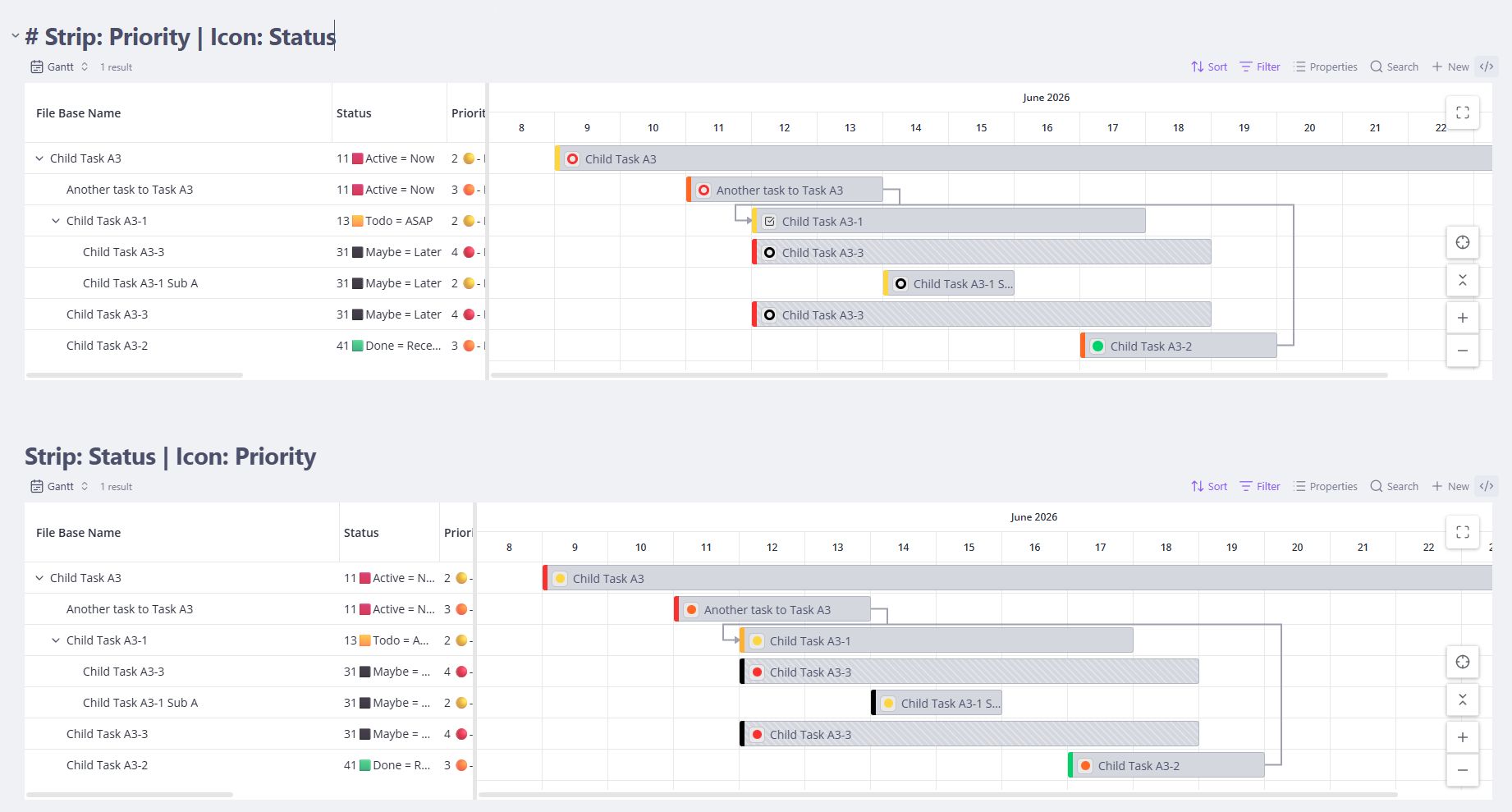 |
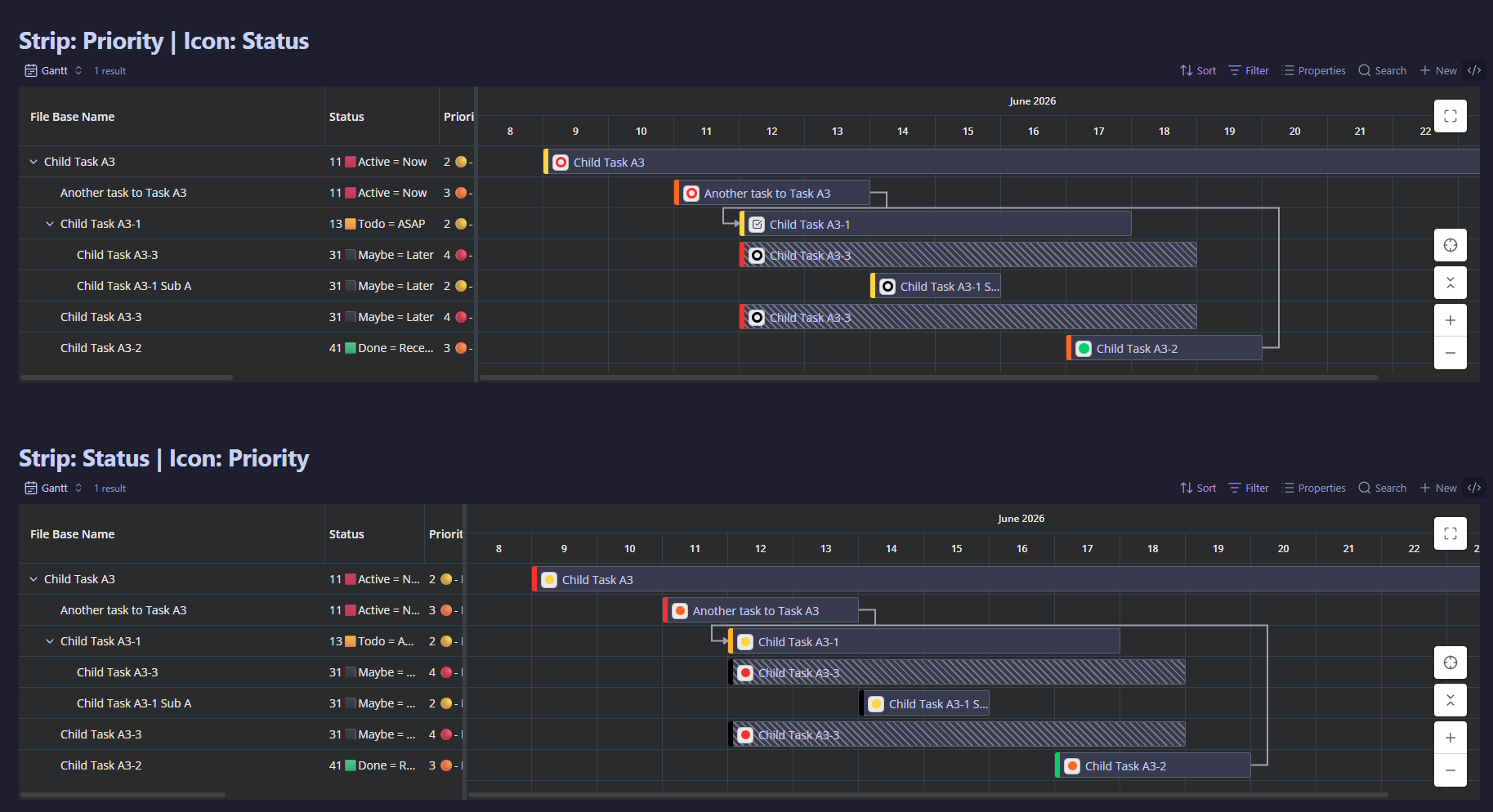 |
Currently in the 0.1.0 beta series (install via BRAT). I built TaskNotes Gantt to scratch my own itch, and I'm glad to share it with anyone it helps — but I have very little time for it, and I won't let a joyful project turn into a burdensome one. I genuinely welcome feedback and requests; I just can't promise to answer quickly, so please keep that in mind before you rely on it. The plugin is solid (thoroughly unit- and integration-tested), and moving slowly is precisely how I keep it that way — that's the real reason for the Beta label. → The full note on development cadence » · Vision & philosophy »
When TaskNotes is installed, TaskNotes Gantt is a full read/write view of your tasks:
- Schedule — bars from each task's
scheduled→duedates; drag to reschedule and resize to change duration, persisted back to the task note. - Progress on the bars — per view, show completion from the checklist progress TaskNotes computes, or read a numeric property you map; in property mode you can drag the progress handle to write the value back.
- Inline editing in the grid — double-click a cell (or press F2) to edit a task's properties without leaving the timeline. Editors are type-aware — text, numbers, checkboxes, locale-aware dates (with a calendar dropdown), status, priority, and multi-value list fields — and every edit is written through TaskNotes. Property cells render as real Obsidian markdown, so wikilinks are clickable and tags show as pills.
- Dependencies — renders all four RFC 9253 relationship types (Finish-to-Start, Finish-to-Finish, Start-to-Start, Start-to-Finish) plus gap/lag, read from TaskNotes'
blockedBy. Create and delete Finish-to-Start dependencies by dragging between bars. (Authoring the other three types and editing reltype/gap is in progress.) - Parent / child roll-up — subtasks nest under their parent; drag a parent and its whole subtree moves with it.
- Bar colors & icons — per view, choose how bars are colored (a hierarchy default of green parents / blue children, By status, By priority, or adapting to your Obsidian theme) and whether the color is a full fill or a left-edge strip, with optional on-bar status/priority icon chips.
- Native task editing — bars behave like TaskNotes task cards. Click a bar to open the note or TaskNotes' edit modal (honoring your TaskNotes single-/double-click settings; ⌘/Ctrl-click opens the note in a new tab), and right-click for TaskNotes' own task context menu — change status, priority, contexts, tags, dates, and more, using the exact same UI as everywhere else in TaskNotes.
- Find & focus — jump to any task in the chart from a fuzzy search (including tasks pulled in through relationships); the Gantt expands its parents, zooms, scrolls, and highlights it, without opening or editing it.
TaskNotes is the system of record: every write goes through its API (or its own modal/menu), so the Gantt and the rest of TaskNotes stay in sync.
You can also use it as a read-only timeline over any Obsidian Base, with no TaskNotes installed: map start/end date properties in the view options and it renders your notes as bars. In this mode there is no write-back, no dependency arrows, and no status/priority coloring or icons — Bases has no task/dependency model to drive them. Bars still get the default hierarchy colors (or your Obsidian theme's), and the timeline & display features below all work. It's a viewer, not an editor.
- Zoom the timeline by hours, days, weeks, or months, and weekend columns are shaded so a multi-day bar doesn't read as if the whole span were working time.
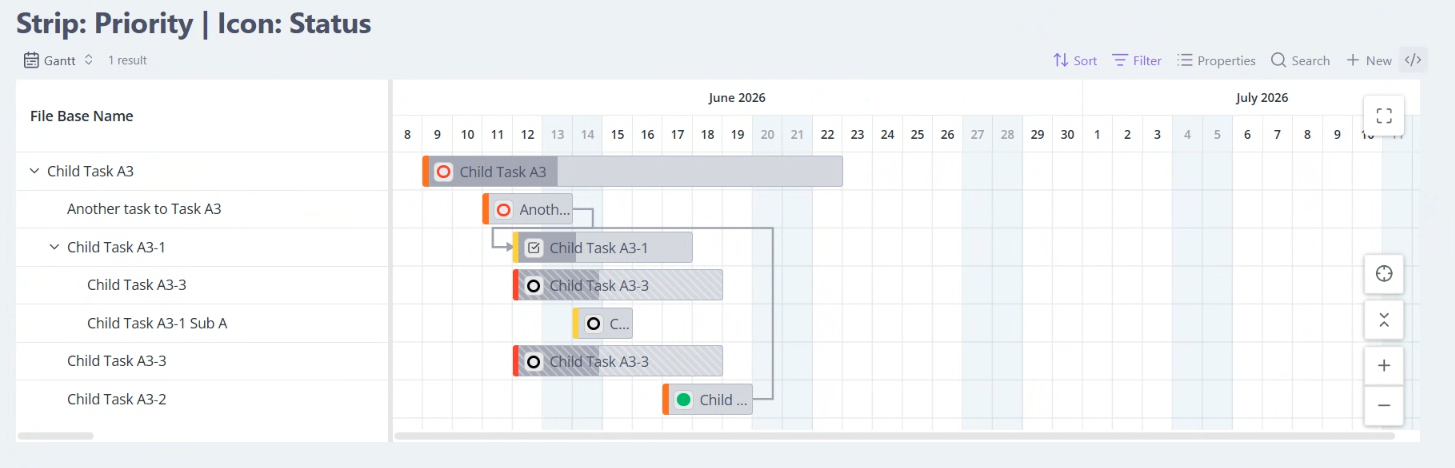
- Maximize within Obsidian — expand the chart to fill the window without pushing Obsidian's own modals, menus, command palette, or hover previews behind it.
- Resizable grid/timeline split that remembers its width, a configurable min/max height, sortable grid columns, and a view-settings menu grouped into collapsible sections.
- Missing-date handling — control how tasks with partial or no dates appear, with optional on-bar date-status indicators.
- In-app "What's New" — after an update, the release notes for the new version open once inside Obsidian; reopen them any time with the "Show release notes" command.
- Obsidian 1.10.0+ (uses the official Bases API).
- The core Bases plugin enabled.
- TaskNotes — required for the companion (read/write) experience; optional for the read-only timeline.
Until the plugin is in the community store, install manually or via BRAT:
- Manual: download
main.js,manifest.json, andstyles.cssfrom a release into<vault>/.obsidian/plugins/tasknotes-gantt/, then enable it in Settings → Community plugins. - BRAT: add this repository in the BRAT plugin.
- Create or open a Base over your task notes.
- Add a view of type TaskNotes Gantt.
- In the view options, confirm the start/end (and optional parent) property mappings. With TaskNotes, these default to
scheduled/due; without it, point them at whatever date properties your notes use.
TaskNotes Gantt runs entirely on your device. It makes no network requests, contains no telemetry or analytics, and ships no remote/dynamically-executed code. Concretely:
- Vault read — reads the notes in your Base (and their frontmatter/metadata) through the Obsidian and Bases APIs to build the chart.
- Vault write — only in the TaskNotes companion mode. When you drag, resize, or create/delete a dependency on the chart, it writes the change back to the corresponding task note's frontmatter (dates and
blockedByedges) via TaskNotes' API. It only writes notes you act on; it never bulk-edits. In read-only (no-TaskNotes) mode it writes nothing. - Vault enumeration — it resolves wikilinks and opens notes by path using
vault.getAbstractFileByPathandmetadataCache.getFirstLinkpathDest. It does not iterate or index your entire vault. - In-process integration — when present, it calls the TaskNotes plugin's public JavaScript API in the same Obsidian process (no network).
Release assets are built in GitHub Actions and carry a build-provenance attestation. You can verify a downloaded main.js was built from this repo's source:
gh attestation verify main.js --repo renatomen/tasknotes-ganttTaskNotes Gantt is an independent companion plugin to TaskNotes by callumalpass — it is not an official part of TaskNotes. It integrates through TaskNotes' public companion-plugin JavaScript API (which is designed to support companions like this one). "TaskNotes" appears in the name to describe what the plugin pairs with.
MIT.