Repository navigation
Windows UI redesign — Verification/readiness epic: three focused jobs #115
Description

한국어 — 작은 작업별로 진행하는 작업 묶음
이 이슈는 관련 작업을 묶는 관리용 상위 이슈입니다. 한 번에 구현하거나 한꺼번에 설계 승인하는 단일 작업이 아닙니다. 아래 개별 이슈를 각각 검토·완료합니다. 실행 범위와 순서는 개별 이슈의 질문·좁은 범위·선행 작업을 기준으로 정합니다. 아래에 남겨 둔 기존 단계 전체 설계는 참고 자료입니다.
| 개별 작업 | 화면·논의 질문·완료 조건 |
|---|---|
| 실제 Windows 배치·DPI·테마·접근성 입력 검증 | #132 |
| 이미지 안정성·성능·GPU 리소스 재생성 검증 | #133 |
| 사용자 문서 갱신과 릴리즈 준비 상태 평가 | #134 |
화면 맥락
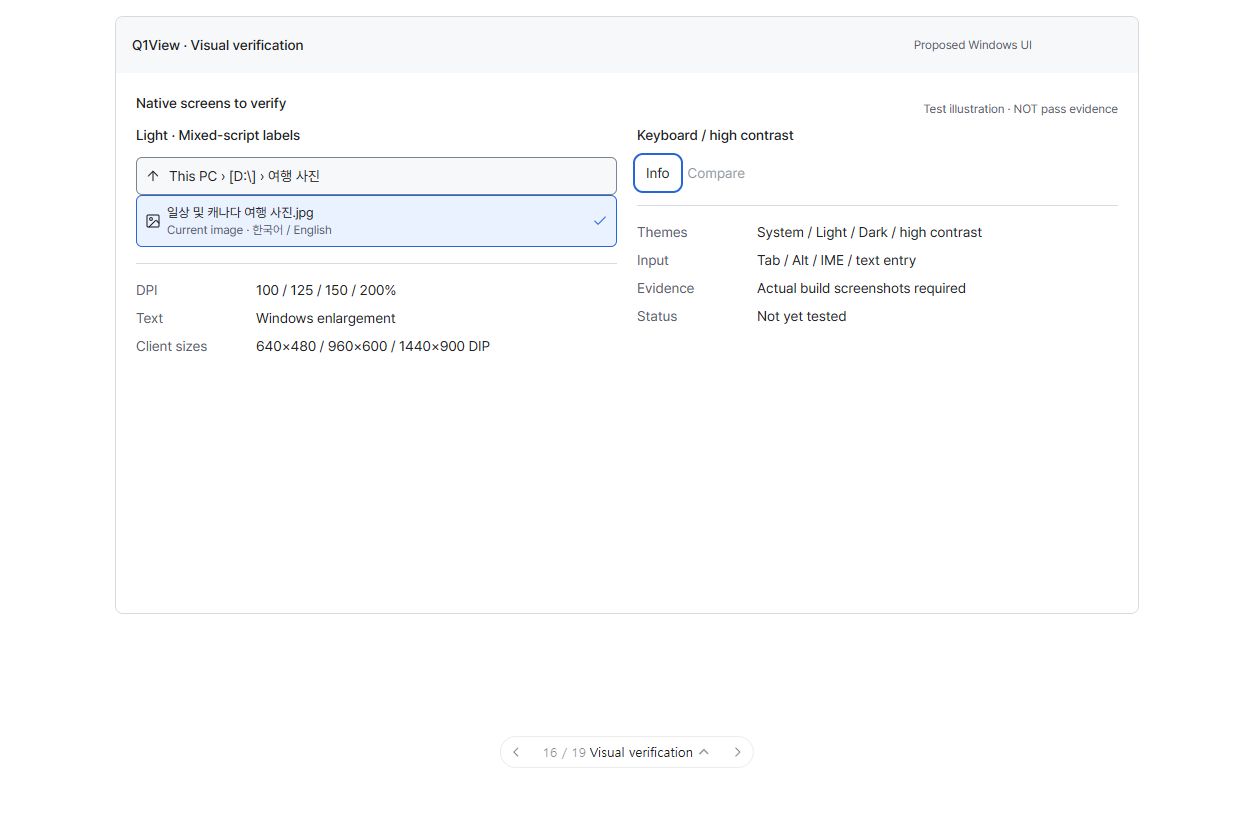
이 그림은 검증 대상만 보여줍니다. 새 제품 UI가 아니며 실제 빌드의 검사 통과 증거도 아닙니다.
진행 상태: 개별 작업 논의 대기. 연결된 작업 모두에 실제 구현·검증 증거가 있을 때까지 이 상위 이슈를 열어 둡니다. 전체 계획의 첫 논의는 #117의 글꼴입니다. 다음 작업과 릴리즈를 자동으로 진행하지 않습니다.
시각적 설명과 논의
재설계된 실제 Windows 앱이 제대로 동작함을 확인하는 작업입니다. 회귀가 생기면 수정·재검사하며 보기 좋은 목업에서 곧바로 릴리즈로 넘어가지 않습니다.
아래 도식은 구조와 동작을 설명합니다. 정확한 픽셀 배치·글꼴 렌더링이나 구현된 Windows 앱 스크린샷이 아닙니다.
flowchart TD
  CORE["#111–#114의 구현 완료"] --> BUILD["로컬 핵심 테스트 + Viewer/Comparator Release 빌드"]
  BUILD --> CHECK["실제 앱 검사<br/>배치 / DPI / 테마 / 키보드 / UIA<br/>E 안정성 / 탐색 / 선택 / 픽셀 / 측정 / GPU / 성능"]
  CHECK --> PASS{"필수 검사 모두 통과?"}
  PASS -- "아니요" --> FIX["문제 수정 후 관련 검사 반복"]
  FIX --> BUILD
  PASS -- "예" --> DOC["설명서·변경 이력·해당 Store 문구 갱신"]
  DOC --> REPORT["증거·한계 기록"]
  REPORT --> DECISION["릴리즈 범위·버전 별도 논의<br/>자동 태그·Store 게시 없음"]
기존 단계 전체의 논의 질문 — 참고
- 실제 작업을 대표할 폴더·이미지·영상은 무엇인가요?
- 반드시 확인할 추가 단축키·보기·비교 상황이 있나요?
- 증거가 나온 뒤 릴리즈·버전을 논의하며 지금 major 증가를 가정하지 않습니다.
참고 자료 상태: 승인은 위의 개별 작업 질문을 기준으로 합니다. 단계 전체의 참고 내용을 한 번에 구현하는 작업으로 취급하지 않습니다.
상위 이슈·의존성
상위: #110. #111, #112, #113, #114에 의존합니다. 핵심 릴리즈 준비 검증 단계이며 6단계는 선행 조건이 아닙니다.
목표
릴리즈 범위·버전을 정하기 전에 실제 Windows 앱의 정확성·접근성·성능·문서를 확인합니다. 목업 검사를 구현 검증으로 착각하지 않습니다.
검증 목록
- 시험 커밋, 장비/OS, 변경 전 기준, 대표 파일, DPI/텍스트 설정, 통과/실패 증거를 기록합니다.
- 클라이언트 640×480/960×600/1440×900 DIP, 100/125/150/200% DPI, Windows 텍스트 확대, 배율이 다른 모니터 이동, 긴 한글·영문·공백 없는 이름·혼합 이름을 확인합니다.
- Light/Dark/System/고대비, 동작 줄이기, 실제 글자·필수 경계의 대비 조합, 일관된 글자 기준선, UIA/내레이터 포커스·선택·상태를 확인합니다.
- 작은/큰/수동 확대 이미지·영상에서 E가 원자적으로 한 번 전환하며 파일·프레임을 넘기지 않고 Fit/수동 검사 지점 규칙대로 흔들림 없이 동작하는지 확인합니다.
- 폴더/드라이브/UNC 이동·실패, Gallery/List 대상, 1/2/4/5개 및 다수 선택, 디렉터리 감시·경로 기반 복원, 부분 휴지통 실패를 확인합니다.
- RAW/YUV/Pixel Exact, 원본·표시 값, ROI, 캡처, 기존 HDR/HLG 정책, A/B 전용 측정·C/D 보기 전용, LPIPS 준비·취소·오류를 확인합니다.
- 같은 폴더의 명시적 다중 이미지 열기, 제한된 썸네일 CPU/GPU 캐시, 보이는 항목 우선 로딩, 새 폴더 전체 디코딩 없음, 유휴 반복 그리기 없음, GPU 리소스 재생성과 상태 보존을 확인합니다.
- 비교 가능한 변경 전후 조건에서 조작 지연·첫 디코딩·메모리·재생을 비교합니다. 약 100ms의 가시적 피드백은 초기 목표이며 측정된 보장이 아닙니다.
- 발견한 회귀를 수정하고 해당 검사를 다시 수행한 뒤 구현 이슈를 닫습니다.
로컬 빌드 조건
AGENTS.md를 따릅니다. 기존 개발 버전 정책으로 Write-Q1ViewVersion.ps1을 실행하고 PATH에 없으면 vswhere로 VS2022 MSBuild를 찾습니다. CoreRegressionTests를 빌드·실행하고 Viewer/Viewer.sln과 Comparator/Comparator.sln을 Release/x64/v143으로 빌드합니다. 로컬 0.0.0.dev와 태그 기반 CI 버전의 구분을 유지합니다.
문서·배포 준비
- 실제 시작·패널·드라이브 탐색·선택/휴지통 문구·단축키·테마·Comparator 범위로 USER_GUIDE를 갱신하고 구현·문서 불일치를 해결합니다.
- Store 소개·변경 이력을 실제 기능에 맞추고 각 글머리 항목·문단은 수동 줄바꿈 없이 하나의 논리적 줄로 유지합니다.
- 핵심 구현 이슈 모두에 PR/커밋과 실제 검증 증거를 첨부합니다.
- 호환성·알려진 한계·릴리즈 노트와 major 증가가 타당한지 검토합니다. 외관 변경만을 이유로 버전을 미리 정하지 않습니다.
- 태그·게시 전 릴리즈 지시를 받습니다. 준비가 됐다는 결과는 릴리즈 실행 승인이 아닙니다.
GitHub Actions 릴리즈 워크플로가 태그 기반 패키징·서명, GitHub Release 생성, Store 제출의 최종 기준입니다. 릴리즈 실행은 명시적으로 승인받는 별도 단계입니다. 이 계획 작업에서 릴리즈 작업을 계속 폴링하지 않습니다.
실행·완료 규칙
Windows MFC Viewer/Comparator만 대상이며 상위 설계와 AGENTS.md를 따릅니다. 최신 origin/master에서 작업 범위에 맞는 브랜치를 만들고 관계없는 변경을 보존합니다. 기존 명령 ID와 렌더링·데이터 경로를 재사용합니다. 관련 자동·수동 검사를 수행하고 공통 코드 또는 릴리즈에 민감한 코드 변경에는 로컬 CoreRegressionTests 및 두 Windows Release 빌드도 수행합니다. 브랜치/PR, 검증 증거, 남은 한계, 회귀 수정 내용을 기록합니다. 목업 또는 빌드 성공만으로 완료 처리하지 않습니다. 이 구현 단계에서는 릴리즈를 태그하거나 게시하지 않습니다.
English original — 영어 원문 펼치기
Coordination epic — work through the small jobs
This issue groups related work; it is not one implementation job or one all-at-once design approval. Review and complete the linked leaf issues separately. Their questions, narrow scopes and prerequisites govern execution. The older phase-wide material below is reference context.
| Focused job | UI screen, question and acceptance checks |
|---|---|
| Verify native layout, DPI, themes and accessible input | #132 |
| Verify image stability, performance and GPU recreation | #133 |
| Update user documentation and assess release readiness | #134 |
Screen context
This picture illustrates verification targets only. It adds no new product UI and is not native-build pass evidence.
Coordination status: awaiting job-level discussion. Keep this epic open until its linked jobs have actual implementation/verification evidence. The first discussion is #117, typography only. No automatic next-job work or release.
Visual walkthrough and discussion
This task proves that the redesigned native app still works. The test path loops back when a regression appears; it does not jump straight from an attractive mockup to a release.
Schematic only: these diagrams explain structure and behavior, not exact pixel geometry, font rendering, or an implemented Windows screenshot.
flowchart TD
  CORE["Completed implementation of #111–#114"] --> BUILD["Local core tests + Viewer/Comparator Release builds"]
  BUILD --> CHECK["Native checks<br/>Layout / DPI / theme / keyboard / UIA<br/>E stability / navigation / selection / pixels / metrics / GPU / performance"]
  CHECK --> PASS{"All required checks pass?"}
  PASS -- "No" --> FIX["Fix the problem and repeat affected checks"]
  FIX --> BUILD
  PASS -- "Yes" --> DOC["Update guide, changelog, and applicable Store wording"]
  DOC --> REPORT["Record evidence and limitations"]
  REPORT --> DECISION["Discuss release scope and version separately<br/>No automatic tag or Store publication"]
Historical phase-level discussion prompts (reference)
-
Which folders/images/videos should be included as representative tests from your actual workflow?
-
Are there additional shortcut, viewing, or comparison scenarios you want explicitly checked?
-
After the evidence is available, discuss release/version choices rather than assuming a major bump now.
Reference status: use the focused leaf-job questions above for approval. This phase-wide material is not one implementation job.
Parent and dependencies
Parent: #110. Depends on #111, #112, #113, #114. Core release gate; Phase 6 is not a prerequisite.
Goal
Confirm native Windows correctness, accessibility, performance, and documentation before deciding a release scope/version. Do not mistake mockup checks for implementation verification.
Verification checklist
- Record the tested commit, machine/OS, current pre-change baseline, representative files, DPI/text settings, and pass/fail evidence.
- Check client sizes 640×480 / 960×600 / 1440×900 DIP; 100/125/150/200% DPI; Windows text enlargement; mixed-monitor transitions; long Korean/English/unbroken/mixed-script names.
- Check Light/Dark/System/high contrast, reduced motion, actual text and essential-control contrast pairs, consistent baselines, and UIA/Narrator focus/selection/state.
- Verify E with small/large/manual-zoom/video content: one atomic toggle, no unintended file/frame step, correct Fit/manual-anchor behavior, no shaking.
- Verify folder/drive/UNC traversal and failures, Gallery/List eligibility, 1/2/4/5/many selection, directory watching/path-based restoration, and partial Recycle Bin failure.
- Verify RAW/YUV/Pixel Exact, source versus display values, ROI, captures, existing HDR/HLG policy, A/B-only metrics and C/D view-only, LPIPS preparation/cancellation/errors.
- Verify same-folder explicit multi-image opening, bounded thumbnail CPU/GPU caches, visible-first loading, no new directory-wide decode, no idle repaint loop, and GPU resource recreation with state preservation.
- Compare interaction latency, first decode, memory, and playback under comparable pre/post conditions. Treat ~100ms visible feedback as an initial goal, not an already measured guarantee.
- Fix any discovered regression and repeat the affected check before closing the corresponding implementation issue.
Local build gate
Follow AGENTS.md: run Write-Q1ViewVersion.ps1 using the existing dev-version policy; locate VS2022 MSBuild through vswhere if it is absent from PATH; build/run CoreRegressionTests; build Viewer/Viewer.sln and Comparator/Comparator.sln in Release/x64/v143. Preserve the distinction between local 0.0.0.dev and tagged CI versioning.
Documentation and rollout
- Update USER_GUIDE with actual startup, panels, drive navigation, selection/Recycle Bin wording, shortcuts, themes, and Comparator scope; resolve implementation/documentation mismatches.
- Keep user-visible Store listing/changelog claims accurate; one logical line per changelog/store bullet or paragraph.
- Attach PR/commit references and actual verification evidence to all core implementation issues.
- Review compatibility, known limitations, release notes, and whether a major bump is justified; do not preselect a version just for appearance changes.
- Obtain release direction before tagging/publishing. A readiness result is not authorization to cut a release.
The GitHub Actions release workflow remains the final authority for tagged packaging/signing, GitHub Release creation, and Store submission. Release execution is a separate explicitly authorized step; do not continuously poll release jobs as part of this planning task.
Execution and completion rules
Windows MFC Viewer/Comparator only; follow the parent specification and existing AGENTS.md. Start a focused branch from current origin/master and keep unrelated changes intact. Reuse existing command IDs and rendering/data paths. Run relevant automated/manual checks plus local CoreRegressionTests and both Windows Release builds for changes affecting shared or release-sensitive code. Record the branch/PR, verification evidence, remaining limitations, and any regression fixes. A mockup or build alone is not completion. Do not tag/publish a release in this implementation step.
Activity
[-]Windows UI redesign — Phase 5: regression verification, documentation, and release readiness[/-][+]Windows UI redesign — Verification/readiness epic: three focused jobs[/+]